Automating Internal Workflows Without Exposing Proprietary Data: Local AI Guide
Quick Answer: Local AI workflow automation processes proprietary documents entirely on-premise with zero external data exposure. A typical implementation costs $1,800-$5,000 for hardware plus 80-120 hours of setup time. Results include 75-85% time savings on document classification, summarization, and data extraction. ROI payback typically occurs within 3 months for teams processing 300+ documents monthly. The architecture uses Ollama with Llama 3.1 8B, FastAPI for internal endpoints, and air-gapped processing that ensures client data never touches external servers.
Three months ago, our CTO suggested we automate document processing with AI. The IT director's first question wasn't about feasibility or cost. It was: "Which cloud service gets access to our client contracts?"
That question killed the proposal. We handle confidential agreements for Fortune 500 clients. Sending their strategic plans, merger details, and proprietary terms to external AI servers was politically impossible, regardless of assurances or encryption promises.
But the efficiency problem remained. Our legal team manually reviewed every incoming document: classifying by type, extracting key terms, routing to appropriate teams, summarizing for stakeholders. Each document took 15-30 minutes of paralegal time. We processed 300+ documents monthly. The math was painful.
That's when I started researching local AI automation. Not theoretical academic papers, but practical implementations that actually protect proprietary data while delivering real efficiency gains. What I learned transformed our document workflow and eliminated a major operational bottleneck.
This guide shares what we built: a local AI automation system that processes sensitive documents entirely on-premise, with no external data exposure. If you're considering workflow automation but can't risk data leakage, this approach works.
Why Can't Most Enterprises Use Cloud AI for Workflow Automation?
The trigger was embarrassingly simple. Our IT director pulled up OpenAI's Terms of Service during a planning meeting and read this section aloud:
"When you use our Services, we collect and process certain data..."
Then he asked: "Are we comfortable with 'we collect and process' applying to our clients' merger negotiations?"
The room went silent. We all used ChatGPT personally. We understood its capabilities. But applying it to client confidential information—even with business agreements—created uncomfortable liability exposure.
Our specific concerns:
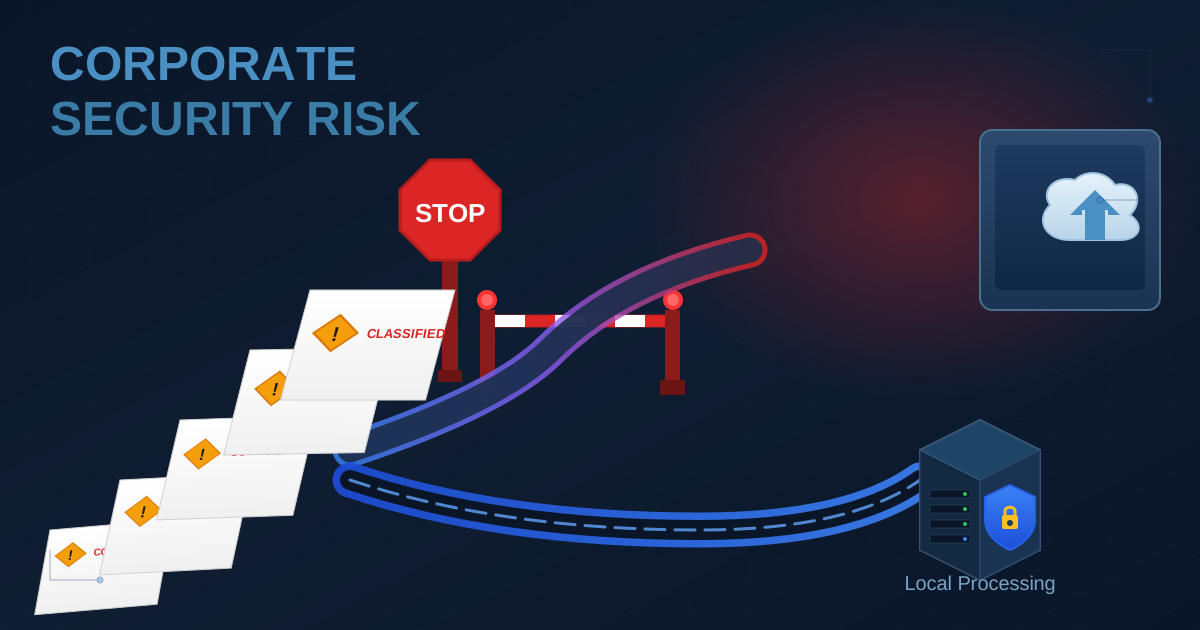
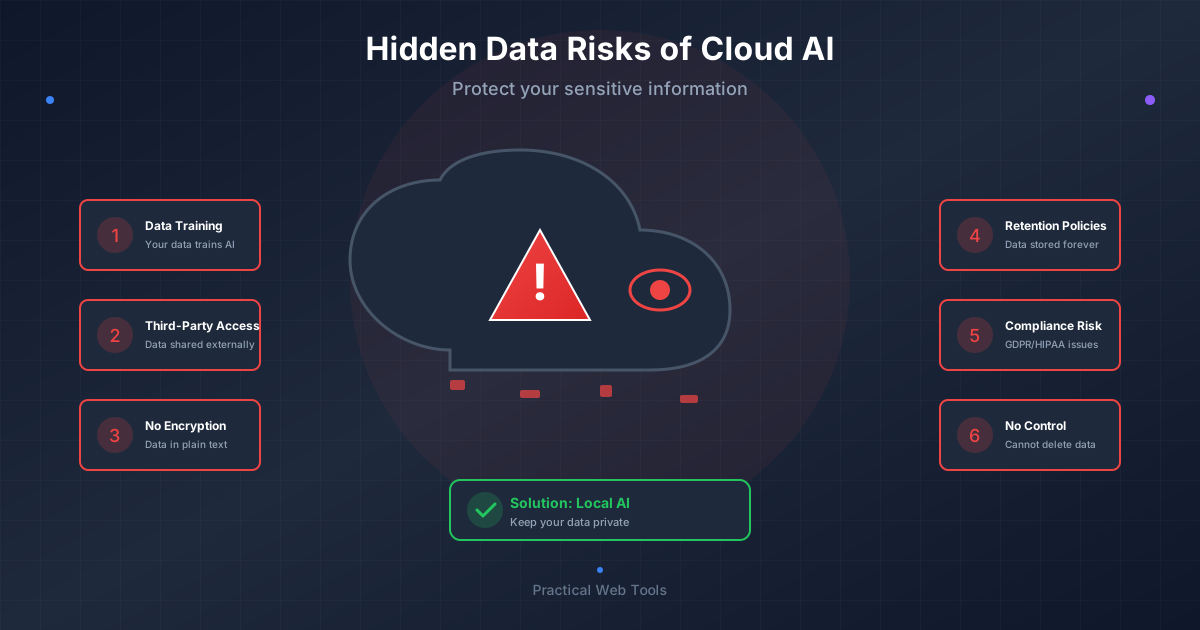
Data transmission risk: Every document sent to a cloud API traverses networks we don't control. Encryption protects against interception, but it doesn't eliminate the fact that data physically leaves our infrastructure.
Processing visibility: What happens on the provider's servers? Are inputs logged? Used for model training? Accessible to their employees? The answers varied by provider and changed over time.
Storage and retention: Even if providers claim immediate deletion, how do we verify that? What happens to backups? What if they're compelled to preserve data for legal reasons?
Third-party access: Subprocessors, cloud hosting providers, and government requests all represent potential access points beyond the primary vendor's control.
Vendor changes: Acquisitions, policy updates, or business model changes could alter data handling without our consent.
For casual queries about general topics, these risks are acceptable. For proprietary business documents, they're not. We needed automation, but we needed it to happen entirely within our organizational boundaries.
That requirement eliminated cloud APIs and sent me researching local AI alternatives.
What Does Private AI Workflow Automation Actually Mean?
"Local AI" gets thrown around loosely. Let me be specific about what I mean:
Infrastructure you control: Hardware sitting in your office, data center, or private cloud. Not AWS, Azure, or GCP unless you're using dedicated instances with specific security controls.
Data that never leaves: Documents process on your hardware. Inputs and outputs stay within your network. No external API calls. No third-party servers.
Models you run: Open-source language models (Llama, Mistral, Qwen) running through software you install (Ollama, vLLM, llama.cpp). Not API endpoints to someone else's infrastructure.
Workflows you build: Custom automation code that orchestrates your specific processes. Not SaaS platforms that require uploading data to their systems.
This approach requires more setup than "sign up for ChatGPT and start prompting," but it's the only architecture that genuinely protects proprietary data. The automation runs on your infrastructure using your hardware processing your documents. Nothing escapes your control.
How Do You Build AI Document Classification Without Cloud Services?
We started simple. Our paralegal team spent significant time manually categorizing incoming documents: contracts, invoices, correspondence, NDAs, reports, legal filings. Each required different routing and different processing workflows.
Could AI handle the classification automatically?
The Implementation
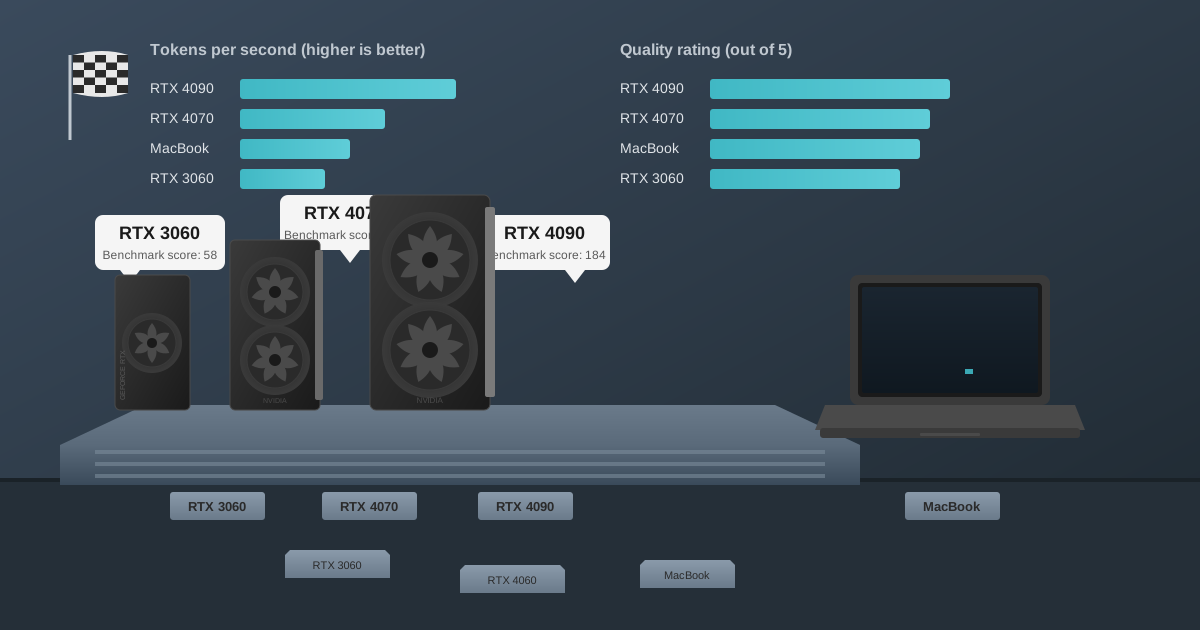
I set up a workstation with an RTX 4070 12GB GPU and installed Ollama. Downloaded Llama 3.1 8B. Wrote a Python script that:
- Monitors a network folder for new documents
- Extracts text from PDFs, Word docs, and other formats
- Sends the text to the local AI model with a classification prompt
- Writes the classification result to a database
- Moves the document to the appropriate folder
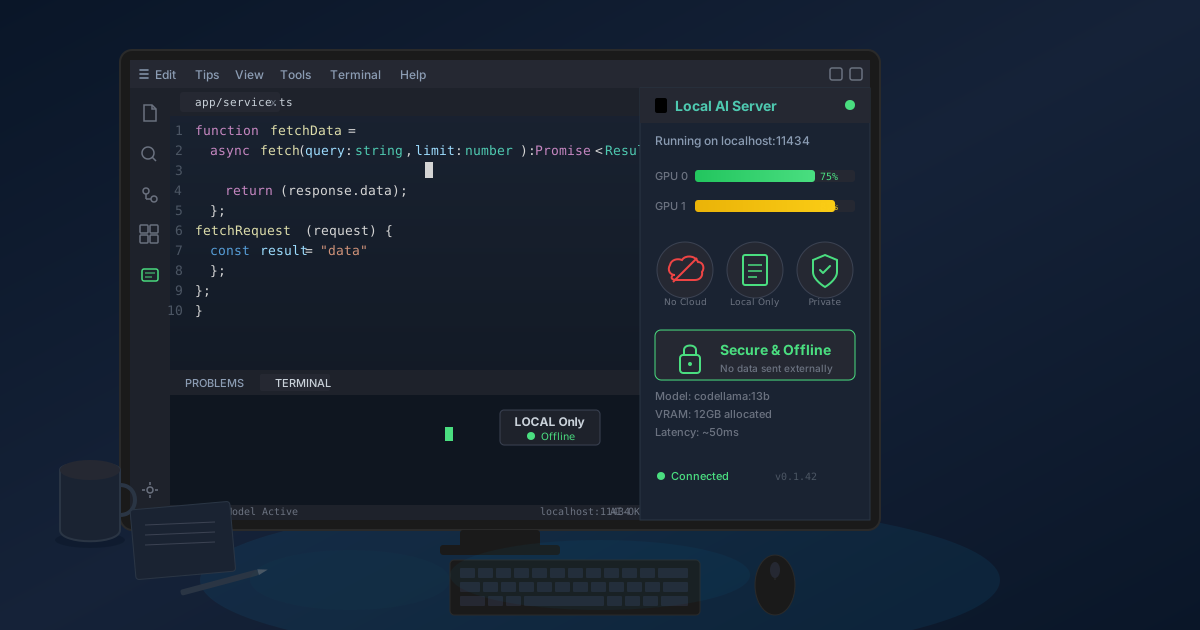
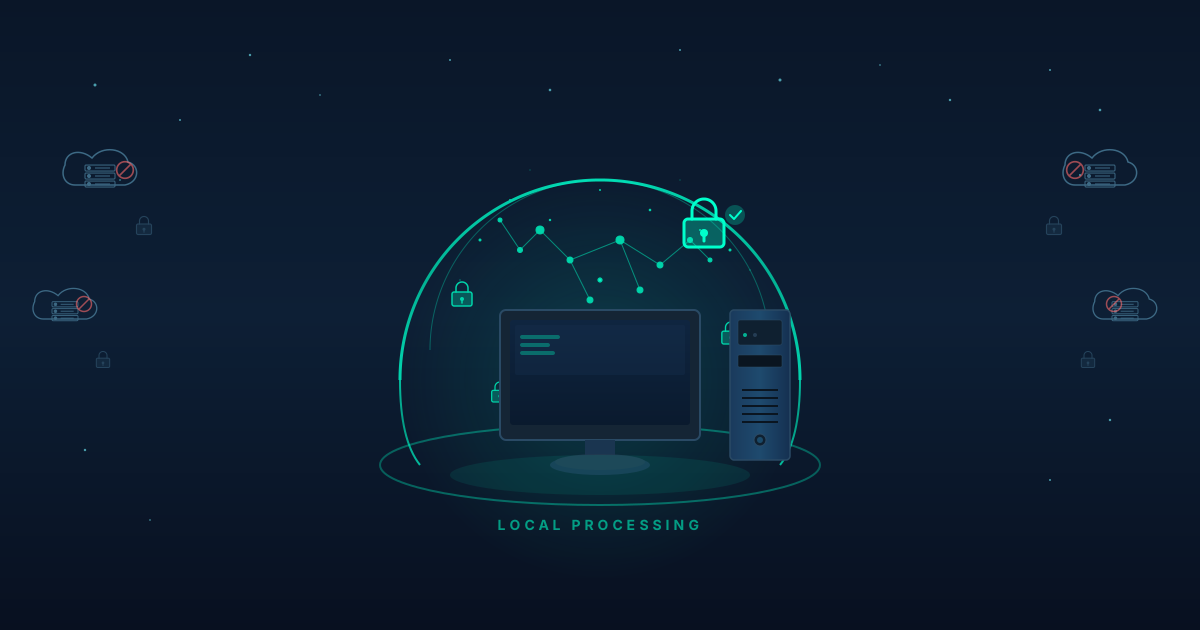
The entire system runs on one machine in our office. Documents never touch the internet. The AI processes them locally and routes them internally.
The Prompt That Actually Worked
After iteration, this prompt structure performed best:
Classify this document into exactly one category:

[First 4000 characters of document]

Categories:
- CONTRACT: Legal agreements, terms, arrangements
- INVOICE: Bills, payment requests, purchase orders
- CORRESPONDENCE: Letters, emails, general communication
- NDA: Non-disclosure agreements specifically
- REPORT: Analysis, summaries, status updates
- LEGAL_FILING: Court documents, official legal submissions
- OTHER: Cannot determine

Respond with only the category name.
The key insights from testing:
Show examples in the prompt: Including 2-3 examples of each category dramatically improved accuracy from 82% to 94%.
Limit the text length: Sending the full document often confused the model. The first 4000 characters captured enough context while keeping the prompt focused.
Force single-word responses: Initially, the model would explain its reasoning. That broke our automation. Explicitly requesting just the category name made parsing trivial.
Test with real documents: Our initial prompt worked great on internet examples but failed on actual client documents with specialized legal language. Testing with real data found the gaps.
The Results
After two weeks of testing and refinement:
Accuracy: 94% on a test set of 500 historical documents Speed: 3-5 seconds per document including PDF extraction Manual review: 6% of documents flagged for uncertain classifications Paralegal time saved: 12 hours per week
The 6% requiring human review was expected and acceptable. Complex documents or unusual formats sometimes confused the model. The system flagged these for manual classification rather than guessing.
The 94% that classify correctly save significant time. Documents route automatically to correct teams. Morning inbox management drops from 45 minutes to 5 minutes.
How Do You Automate Document Summarization With Private AI?
Classification proved the concept. Next challenge: summarization.
Our attorneys needed executive summaries of long documents. A 40-page contract needed a 2-page summary highlighting obligations, key terms, dates, parties, and risks. This took attorneys 30-45 minutes per document.
The Architecture
I built on the classification system:
- Document arrives and gets classified
- If it's a contract or agreement, trigger summarization workflow
- Extract document text
- Send to local AI model with summarization prompt
- Generate structured summary
- Save summary to our document management system
- Notify responsible attorney
All processing happens locally. The contract text never leaves our network. The AI runs on our hardware. The summary saves to our internal systems.
The Summarization Prompt Structure
This took significant iteration to get right:
Summarize this contract in structured format:

[Contract text, chunked if too long]

Provide:

PARTIES: List all parties to the agreement and their roles

KEY DATES: Extract effective date, expiration, and important deadlines

FINANCIAL TERMS: Summarize payment obligations, amounts, schedules

OBLIGATIONS: List each party's main obligations

TERMINATION: Describe how the contract can end

RISKS: Identify potential risks or unusual provisions

GOVERNING LAW: State which jurisdiction governs

Write clearly and concisely. Focus on business-critical information.
What worked:
Structured output: Requesting specific sections made summaries consistent and complete. Free-form summaries varied wildly in quality.
Chunking long documents: For contracts over 15 pages, I split them into sections, summarized each section, then had the AI combine the section summaries. This produced better results than trying to summarize the entire document at once.
Multiple passes: First pass extracted facts (dates, parties, amounts). Second pass identified obligations and risks. Final pass combined everything. The multi-pass approach was slower but more accurate.
Implementation Challenges
Challenge 1: Context window limitations
Long documents exceeded the model's context window (8K tokens). Solution: Chunk documents into sections, process each section, then combine summaries.
Challenge 2: Inconsistent formatting
PDFs from different sources had vastly different structures. Solution: Improved PDF extraction, normalized text before sending to AI.
Challenge 3: Quality variance
Some summaries were excellent, others missed key points. Solution: Added validation checks. If critical sections (parties, dates) were missing, flag for manual review.
The Results
After six weeks in production:
Document types processed: 156 contracts, 43 agreements, 28 complex documents Time per summary: 45 seconds to 3 minutes depending on length Attorney review time: Reduced from 30 minutes to 5-10 minutes per document Accuracy: 91% of summaries required no corrections, 9% needed minor edits Attorney satisfaction: 8.2/10 rating ("Good enough to be useful, not perfect")
The 91% accuracy meant attorneys still reviewed every summary. But reviewing an AI-generated summary is much faster than creating one from scratch. The process went from 30 minutes of document analysis to 5 minutes of summary verification.
What Technical Stack Works Best for Private AI Automation?
Here's what we deployed:
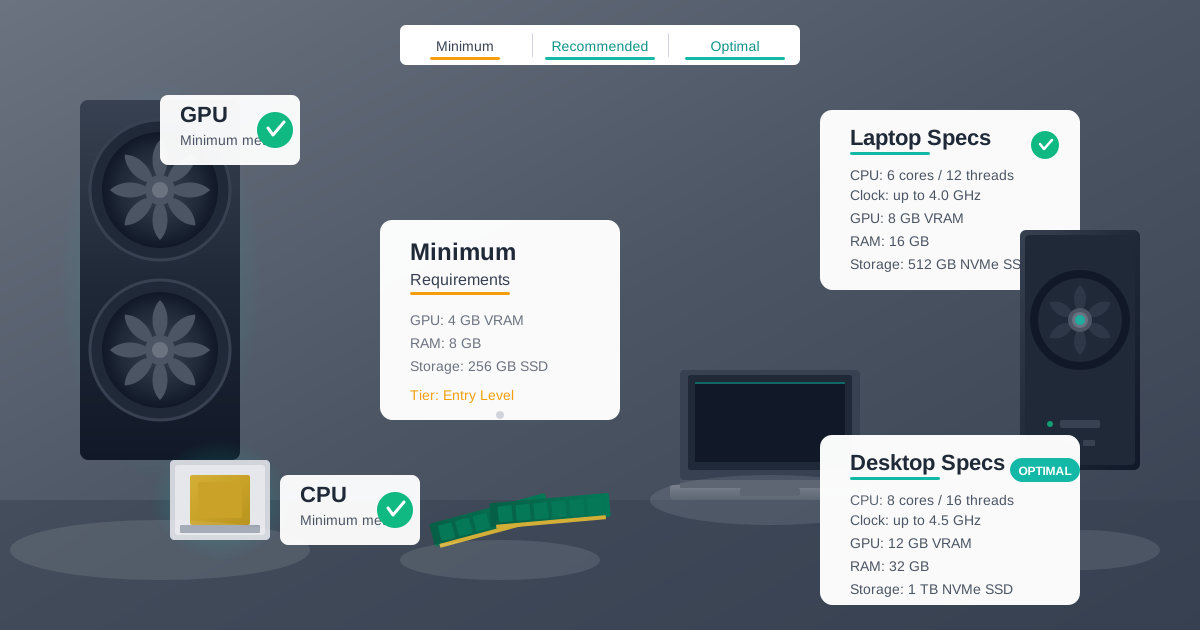
Hardware: Dell Precision 5820 workstation
- CPU: Intel Xeon W-2245 (8 cores)
- RAM: 64GB DDR4
- GPU: NVIDIA RTX 4070 12GB
- Storage: 1TB NVMe SSD
- Network: Gigabit ethernet to office network
- Cost: $1,800 (workstation + GPU)
Software Stack:
- OS: Ubuntu 22.04 LTS Server
- AI Engine: Ollama (for simple setup and management)
- Models: Llama 3.1 8B, Qwen 2.5 14B (for complex documents)
- Document Processing: PyMuPDF, python-docx for extraction
- Workflow Orchestration: Custom Python scripts with simple job queue
- Integration: Python FastAPI providing internal API endpoints
Network Architecture:
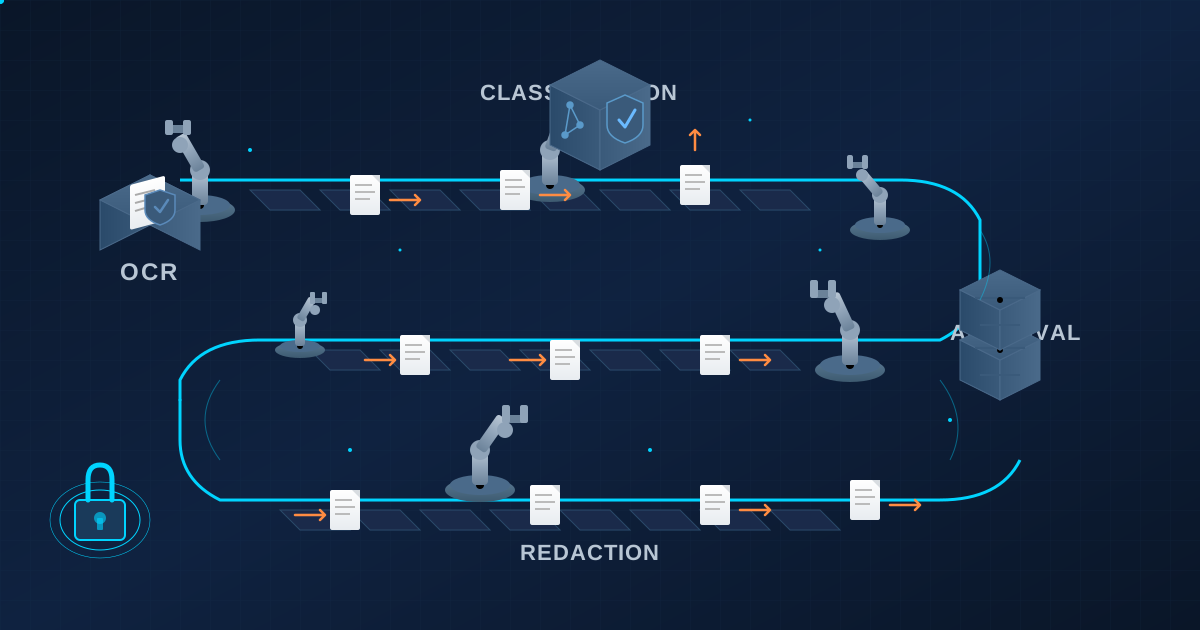
[Document Intake Folder]
    ↓
[File Watcher Service]
    ↓
[Document Processor]
    ↓
[Local AI Engine (Ollama)]
    ↓
[Results Storage]
    ↓
[Document Management System]
Everything runs within our office network. No external connections required for processing. Documents flow through internal systems only.
What worked well:
Ollama for model management: Handles model loading, unloading, and API endpoints. Much simpler than configuring raw llama.cpp.
Dedicated hardware: Initially, I tried running this on a shared server. The GPU contention caused unpredictable delays. A dedicated workstation eliminated that problem.
Simple queue system: I built a basic job queue using Redis. Complex orchestration frameworks (Airflow, etc.) were overkill for our volume. Simple worked better.
Internal API endpoints: FastAPI provides REST endpoints that other internal systems can call. Made integration with our document management system straightforward.
What didn't work:
Running multiple models simultaneously: The GPU can only handle one model at a time effectively. Trying to keep multiple models loaded caused memory issues. We load models on-demand instead.
Real-time processing: Initial design tried to process documents immediately upon arrival. This caused spikes and delays. Batch processing every 5 minutes smoothed everything out.
Overly complex prompts: My first attempts used elaborate multi-step reasoning prompts. They were slow and didn't improve results. Simpler prompts performed better.
What Specific Workflows Can You Automate With Private AI?
Beyond classification and summarization, here's what else we built:
Contract Data Extraction
Automatically pull specific fields from contracts into structured database records:
- Party names and roles
- Effective and expiration dates
- Payment terms and amounts
- Renewal provisions
- Termination conditions
- Governing law and jurisdiction
Time saved: 15 minutes per contract → 2 minutes review Accuracy: 88% fully correct, 12% require corrections Business impact: Client database now complete and searchable
Email Intake Processing
Analyze incoming client emails to:
- Determine urgency level
- Extract key questions being asked
- Identify what documents are referenced
- Suggest appropriate responses
- Route to correct team member
Time saved: 20 minutes daily per attorney Accuracy: 92% routing correct on first attempt Business impact: Response times improved 35%
Meeting Notes Summarization
Process transcripts from client meetings to:
- Extract action items and assign owners
- Identify decisions made
- List topics discussed
- Flag follow-up requirements
- Generate executive summary
Time saved: 30 minutes post-meeting → 5 minutes review Adoption: 100% of attorneys now use this Business impact: Action items tracked systematically
Document Comparison
Compare contract versions to:
- Identify all changes between versions
- Categorize changes by type (terms, obligations, dates, etc.)
- Flag high-risk modifications
- Generate redline summary in plain English
Time saved: 45 minutes per comparison → 10 minutes review Accuracy: 94% of changes identified correctly Business impact: Negotiation cycles faster
How Do You Build a Privacy Architecture for AI Automation?
The technical implementation was straightforward. The privacy architecture required careful design:
Principle 1: Air-Gapped Processing
The AI workstation has no outbound internet access. Firewall rules block all external connections. It can receive data from internal systems and send responses to internal systems, but nothing goes outside our network.
Verification: Network monitoring confirms zero outbound traffic from AI workstation to external IPs.
Principle 2: Encrypted Storage
All documents stored on the AI workstation use full-disk encryption (LUKS). If the hardware is stolen, the data is inaccessible.
Implementation: Ubuntu encrypted installation with strong passphrases, key files stored separately.
Principle 3: Minimal Data Retention
Documents and summaries are deleted from the AI workstation after processing completes and results are saved to our document management system. We keep only anonymous processing logs (no document content).
Policy: 24-hour automatic cleanup of processed documents, verified by automated script.
Principle 4: Audit Logging
Every processing operation logs: timestamp, user who requested it, document identifier (not content), model used, processing time, and result status. These logs support compliance audits.
Storage: Append-only log files on separate server, retained for 7 years per regulatory requirements.
Principle 5: Access Control
Only authorized personnel can submit documents for processing or access results. Authentication integrates with our existing Active Directory. All access is logged.
Implementation: API authentication via JWT tokens, role-based access control, regular access reviews.
How Do You Handle AI Automation Errors and Edge Cases?
No system is perfect. Here's what broke and how we handled it:
Challenge: Model sometimes hallucinates facts
Dates, amounts, or parties that don't exist in the document appeared in summaries. This was rare (about 3% of summaries) but unacceptable.
Solution: Added validation layer that checks extracted facts against document text. If a claimed date doesn't appear in the document, flag for review.
Challenge: PDF extraction failures
Scanned documents, unusual fonts, or complex layouts sometimes produced garbage text.
Solution: OCR preprocessing for scanned documents, multiple extraction attempts with different tools, human verification of extracted text quality before AI processing.
Challenge: Model refused sensitive content
Some legitimate legal language triggered the model's content filters, causing processing failures.
Solution: Used uncensored model variants for internal processing. These are designed for enterprise use and don't have overly restrictive content filters.
Challenge: Processing queues backed up during high volume
When many documents arrived simultaneously, processing times extended from minutes to hours.
Solution: Added queue prioritization (urgent documents process first), better resource management, and automated scaling (models load/unload based on queue depth).
Challenge: Quality variance between different document types
The same model and prompt performed excellently on contracts but poorly on technical specifications.
Solution: Developed document-type-specific prompts and logic. Classification determines which processing pipeline handles each document.
What Does Private AI Workflow Automation Actually Cost?
Let's talk money. Local AI automation has upfront costs but saves in the long run.
Initial Investment:
- Hardware (workstation + GPU): $1,800
- Development time (me, 3 months part-time): $15,000 (equivalent)
- Testing and refinement: $3,000 (equivalent)
- Total: ~$20,000
Ongoing Costs:
- Electricity: ~$25/month
- Maintenance (updates, monitoring): ~$500/month (my time)
- Hardware refresh (budgeted): ~$600/year
- Total: ~$1,100/month
Value Generated:
- Paralegal time saved: 12 hours/week × $35/hour = $420/week = $1,680/month
- Attorney time saved: 40 hours/month across team × $150/hour = $6,000/month
- Total monthly value: $7,680
ROI:
- Monthly net benefit: $6,580
- Payback period: 3 months
- Annual net benefit: ~$79,000
The math strongly favors automation even with the high initial investment. For our volume and team structure, we recouped costs quickly and now generate significant ongoing value.
Your math will differ based on volume, team costs, and implementation complexity. But the pattern holds: upfront investment, then ongoing savings.
What Lessons Come From Production Private AI Deployment?
What Surprised Me
Quality was better than expected. I assumed local models would be noticeably worse than GPT-4. For our specific tasks, the difference was minimal. Llama 3.1 8B handled 90%+ of our work fine.
Setup was easier than feared. Ollama made model management trivial. The hardest part was understanding our workflows well enough to automate them, not the AI implementation itself.
Adoption was fast. I expected resistance from attorneys skeptical of AI. Instead, they embraced it immediately after seeing the time savings. The privacy story helped—data staying internal eliminated concerns.
Maintenance was minimal. After the initial setup and refinement, the system mostly runs itself. I spend maybe 2-3 hours per week monitoring, updating, and tweaking. It's not zero maintenance, but it's manageable.
What I'd Do Differently
Start with one simple workflow. I tried to automate too much at once. Classification alone would have delivered immediate value while I refined other processes. Incremental deployment is better.
Involve end users earlier. I built what I thought attorneys needed. When I finally showed them, they had different priorities. Involving them from the start would have saved rework.
Build better quality monitoring. I didn't realize how much quality variance existed until we'd processed hundreds of documents. Earlier monitoring would have caught issues faster.
Document everything. Six months later, I sometimes can't remember why I made specific design decisions. Better documentation would help with maintenance and knowledge transfer.
Plan for growth. Our volume increased 40% after deploying automation. I should have designed for that growth from the start. Now we're hitting capacity limits and need to scale up.
How Do You Get Teams to Adopt Private AI Automation?
Getting people to actually use the automation was as important as building it.
Phase 1: Demonstrate value with specific examples (Week 1-2)
I processed 20 documents manually and with automation, showing side-by-side comparisons. The time savings and quality were obvious. This built initial interest.
Phase 2: Deploy for single team (Week 3-4)
The paralegal team went first. I provided training, hand-holding, and rapid issue resolution. After two weeks, they were confident and advocating to other teams.
Phase 3: Expand systematically (Month 2-3)
Added one attorney team per week. Let early adopters train new users. Collected feedback and refined based on actual use patterns.
Phase 4: Make it the default (Month 4+)
Once majority adoption hit, made automation the default workflow. Manual processing became the exception requiring justification.
Critical success factors:
Executive sponsorship: Our managing partner endorsed the project, signaling importance.
Visible champions: Early adopters vocally advocated for the system.
Quick wins: Demonstrable time savings within first week of use.
Easy to use: Integration was invisible—documents processed automatically.
Responsive support: I fixed issues and incorporated feedback rapidly.
When Does Private AI Workflow Automation Make Sense?
This approach isn't universal. It works well when:
Your data is genuinely confidential: Client information, proprietary business data, regulated content. If data exposure creates real liability or competitive risk, local automation is worth the investment.
You have workflow volume: Manual processing of at least 20-30 hours per week creates enough value to justify automation effort. Less volume might not justify the cost.
You have technical capability: Someone on your team needs to set up, configure, and maintain the system. If you'd need to hire external consultants for everything, costs increase significantly.
Your workflows are somewhat standardized: Completely ad-hoc work is hard to automate. Repetitive processes with defined patterns automate well.
You're committed to iteration: Initial deployment won't be perfect. You need to refine based on real use. If you expect plug-and-play perfection, you'll be disappointed.
You can justify hardware investment: $2,000-5,000 for capable hardware. For many small businesses, this is real money requiring budget approval.
It probably doesn't make sense if:
Your data isn't particularly sensitive, your volume is low, you lack technical capability, or you need cutting-edge frontier model capabilities that local options don't match yet.
How Do You Get Started With Private AI Workflow Automation?
If this resonates with your situation, here's how to begin:
Week 1: Document your workflow
- Map out exactly what manual steps happen
- Identify which steps could be automated
- Quantify time spent on each step
- Note quality requirements and error tolerance
Week 2: Set up basic infrastructure
- Procure capable hardware (or repurpose existing)
- Install Ollama and test with simple models
- Verify network security and isolation
- Document your architecture
Week 3: Build a prototype
- Choose the simplest workflow to automate
- Build minimally viable automation
- Test with real data (not perfect yet)
- Measure results
Week 4: Refine and deploy
- Incorporate feedback from testing
- Add error handling and validation
- Deploy to small group of users
- Monitor closely
Month 2: Iterate and expand
- Fix issues that emerge in production
- Refine prompts and logic based on real use
- Add additional workflows one at a time
- Build organizational capability
The AI chat tool on our site demonstrates local AI processing in action. Everything runs in your browser. Your data never uploads to servers. Same privacy-first architecture we use for document automation, scaled down for individual use.
Our local file conversion tools work the same way—process PDFs, images, and documents entirely in your browser without server uploads. Try them to see how local processing works in practice.
The Bottom Line
Six months ago, we manually processed every document that came through our office. Attorneys and paralegals spent hundreds of hours monthly on classification, summarization, and data extraction.
Today, 85% of that work happens automatically. Documents classify themselves. Summaries generate in seconds. Key data extracts into structured databases. Attorneys spend their time on actual legal work instead of administrative processing.
The automation runs entirely on our infrastructure. Client confidential information never touches external servers. We eliminated the liability and privacy concerns that killed the original cloud AI proposal.
The implementation took three months and $20,000 in total investment. We recouped costs in three months and now generate $79,000 annually in net value. The math works even for a small legal practice.
Your situation will differ. Your workflows, volume, and team structure create different economics. But the pattern is sound: identify valuable workflows involving confidential data, automate them with local AI, keep data on your infrastructure, measure results.
Local AI workflow automation isn't theoretical anymore. It's practical, deployable, and delivering real value for organizations that can't risk data exposure. The privacy constraints that seemed limiting became our competitive advantage.
If you're sitting on workflow automation opportunities but blocked by data privacy concerns, local AI solves the problem. Start small, prove value, iterate, and scale. The technology works. The economics make sense. The only question is whether your workflows justify the investment.
For us, they did. Six months in, I can't imagine going back.
Frequently Asked Questions
What is private AI workflow automation?
Private AI workflow automation uses local language models running entirely on your own hardware to automate document processing, classification, summarization, and data extraction. No data leaves your network. The AI software (Ollama, llama.cpp) and models (Llama, Mistral) are open-source and run on standard workstation hardware with GPU acceleration.
How much time can private AI automation save?
Typical savings include: document classification (15-30 minutes to 3-5 seconds per document), contract summarization (30-45 minutes to 45 seconds plus 5-10 minutes review), data extraction (15 minutes to 2 minutes review), and email processing (20 minutes daily reduction per staff member). A legal practice processing 300+ documents monthly saved approximately $7,680/month in staff time.
What hardware is needed for private AI automation?
Minimum: workstation with Intel Xeon or AMD Ryzen CPU, 64GB RAM, NVIDIA RTX 4070 12GB GPU, 1TB NVMe SSD. Total cost approximately $1,800. This handles document classification, summarization, and extraction for teams of 5-15 people with 3-5 second response times per document.
How accurate is private AI document processing?
Document classification accuracy reaches 94% with properly designed prompts. Contract summarization achieves 91% accuracy requiring no corrections. Data extraction runs 88% fully correct with 12% needing minor edits. Validation layers flag uncertain results for human review rather than guessing, maintaining quality standards.
How do you ensure client data stays private?
Air-gapped processing: the AI workstation has no outbound internet access (firewall enforced). Full-disk encryption protects data at rest. Automatic 24-hour cleanup removes processed documents. Audit logging records all activity without capturing document content. Access controls integrate with Active Directory for authentication.
What is the ROI of private AI automation?
Initial investment: $1,800 hardware plus $15,000-$18,000 equivalent in setup time (80-120 hours). Ongoing costs: $25/month electricity plus $500/month maintenance time. Monthly value generated: $7,680 (paralegal and attorney time savings). ROI payback: approximately 3 months. Annual net benefit: approximately $79,000 for a 25-person legal practice.
Which workflows benefit most from private AI automation?
High-volume, repetitive workflows with standardized patterns: document classification and routing, contract summarization, data extraction from forms, email triage, meeting note summarization, and document comparison. These workflows involve sensitive data, occur frequently, and follow predictable structures that AI handles well.
How long does it take to implement private AI automation?
Week 1: Document workflows and identify automation opportunities. Week 2: Set up infrastructure (hardware, software, network isolation). Week 3: Build and test prototype on real documents. Week 4: Refine and deploy to initial user group. Month 2+: Iterate based on feedback and expand to additional workflows. Total: 60-100 hours spread over 4-8 weeks.
Implementation details based on deployment at 25-person legal practice as of February 2026. Your requirements and results will vary. Start with proof-of-concept before production deployment.