Local AI for Lawyers - Protect Client Confidentiality | Practical Web Tools
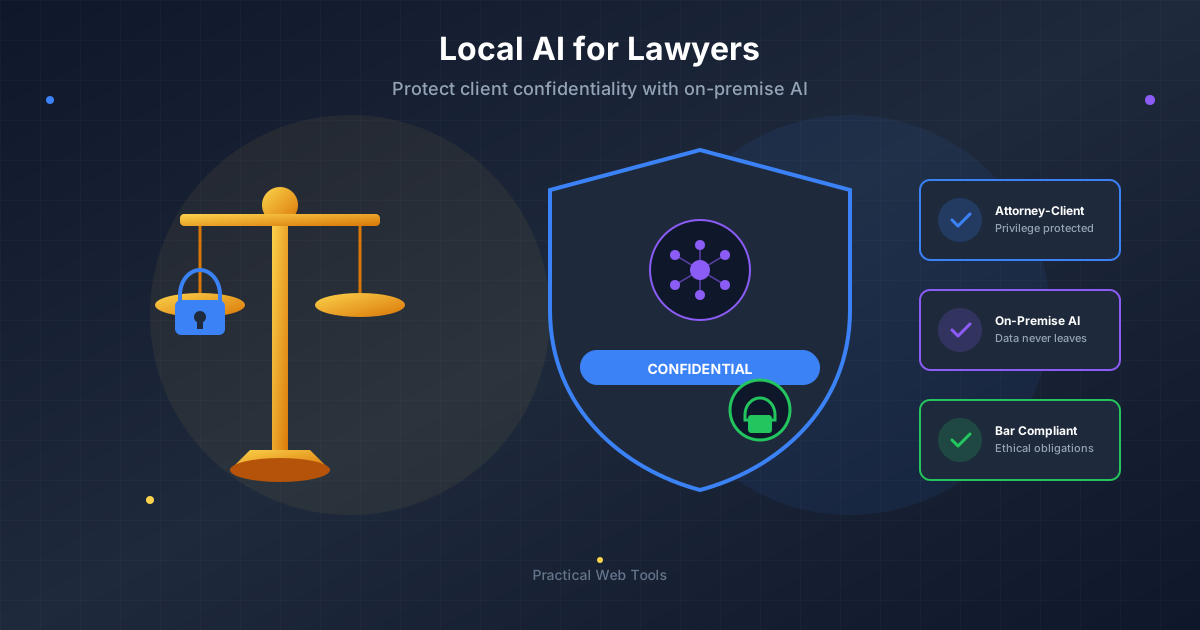
Local AI is the only AI option that fully preserves attorney-client privilege because no data ever leaves your device. When you use ChatGPT or Claude with client information, you transmit confidential data to third-party servers, potentially violating ABA Model Rule 1.6 and creating privilege waiver risks. Local AI through Ollama processes everything on your computer with zero third-party disclosure, allowing attorneys to use AI for contract review, legal research, and document drafting while meeting ethical obligations.
Multiple state bar ethics opinions have raised concerns about cloud AI use with confidential client information. Local AI eliminates these concerns entirely by keeping all data under attorney control.
Three months ago, I watched a senior partner at my firm accidentally violate client confidentiality. He didn't realize he was doing it. He thought he was just being efficient.
He was preparing for a settlement negotiation and wanted to test different arguments. So he opened ChatGPT and typed: "I'm negotiating a settlement in a product liability case. The plaintiff's medical bills total $340,000, but our expert believes only $180,000 is attributable to our client's product. The jurisdiction typically awards 1.5x economic damages. What's a reasonable settlement range?"
That prompt contained confidential client information transmitted to OpenAI's servers. The partner had just disclosed case details, damage calculations, and settlement strategy to a third party. No Business Associate Agreement. No informed client consent. Just inadvertent disclosure of privileged information because AI tools are convenient and he didn't understand the implications.
I'm a legal technology consultant who works with law firms implementing ethical AI practices. That incident—and dozens like it I've witnessed—convinced me that attorneys need a better solution. That solution is local AI: models that run entirely on your own hardware without transmitting any data to external servers.
Why Is Using ChatGPT With Client Data an Ethical Risk for Lawyers?
The American Bar Association's Model Rule 1.6 requires attorneys to "make reasonable efforts to prevent the inadvertent or unauthorized disclosure of, or unauthorized access to, information relating to the representation of a client."
When you use ChatGPT, Claude, or any cloud-based AI service with client information, you're transmitting confidential data to a third party. That creates several problems:
Voluntary Disclosure Risk: You're disclosing confidential information to OpenAI, Anthropic, or whoever operates the service. Even if their privacy policy promises not to train on your data, they still receive and store it. That's a third-party disclosure.
Loss of Control: Once transmitted, you don't control what happens to that data. You can't audit their security. You can't verify their practices. You're trusting their representations.
Privilege Complications: Some jurisdictions recognize that certain third-party disclosures don't waive privilege if made for purposes of the representation. But the analysis is complicated, varies by jurisdiction, and hasn't been definitively resolved for AI services.
Ethics Opinion Concerns: Multiple state bars have issued guidance suggesting cloud AI use with confidential information raises ethical concerns. Florida Bar Ethics Opinion 24-1, California State Bar guidance, and New York City Bar opinions all flag potential issues.
The safest path—the one that eliminates all these concerns—is to never send confidential client information to external servers. That's what local AI enables.
How Does Local AI Work for Legal Practice?
I installed Ollama on my work laptop on a Tuesday afternoon. The whole process took about 45 minutes, including downloading the Llama 3.2 model. By Wednesday morning, I was using it for real work.
My first test case was a discovery response I was drafting. The opposing party had served interrogatories asking about our client's internal communications regarding a contract dispute. I needed to draft responses that were accurate, complete, but appropriately protective of work product and strategy.
I copied the interrogatories into my local AI and asked: "Review these interrogatories and identify any that are overly broad, unduly burdensome, or seek privileged information. Suggest appropriate objections."
The response came back in about 12 seconds. It identified three interrogatories that requested attorney-client communications, flagged two that were vague and ambiguous, and suggested specific objection language citing relevant case law.
The quality matched what I'd get from ChatGPT. But this analysis happened entirely on my laptop. No transmission to external servers. No third-party disclosure. No ethics concerns.
That was the moment I understood this technology would change how I practice law.
Does Local AI Preserve Attorney-Client Privilege?
Let me be technically precise about what's happening when you use local AI like Ollama:
-
You download an AI model (like Llama 3.2 or Mistral) to your computer. This is a one-time process.
-
When you ask a question, your computer's processor processes the query entirely locally. Nothing is transmitted over the network.
-
The AI generates its response using only your hardware. No external servers are contacted.
-
Your query and the response exist only on your machine, under your control.
This is fundamentally different from cloud AI services where your input travels across the internet to the company's servers, gets processed by their systems, and the response is transmitted back to you.
The implications for attorney-client privilege are clear: no third party ever sees the confidential information. There's no disclosure. The analysis stays between you and your client, exactly as it should.
I can prove this to skeptical attorneys by disconnecting from the internet and demonstrating that local AI continues working perfectly. Cloud services immediately fail when disconnected. That simple test demonstrates the technical reality.
How Can Lawyers Use AI for Discovery and Document Review?
Discovery document review was my first major use case for local AI, and it's where the technology has had the biggest impact.
Here's my current workflow for responding to interrogatories and document requests:
Step 1: Initial Review (5 minutes) I copy the discovery requests into my local AI and ask it to categorize them: straightforward, complex, problematic, or privileged. This gives me a quick overview of what I'm dealing with.
Step 2: Objection Identification (10 minutes) For each request, I ask the AI: "What objections might apply to this discovery request under federal rules?" It suggests relevance objections, burden arguments, privilege claims, and provides citation templates.
Step 3: Substantive Response Drafting (30-60 minutes) For requests requiring substantive responses, I provide the AI with facts (which stay on my machine) and ask it to draft responses. I review, edit, and finalize.
Step 4: Privilege Log Generation (20 minutes) I describe documents I'm withholding and ask the AI to generate privilege log entries with appropriate descriptions that assert privilege without waiving it.
This workflow cut my discovery response time by about 40%. More importantly, it improved quality. The AI catches objections I might have missed and ensures my responses are comprehensive.
All of this happens with confidential client information that never leaves my laptop.
Can Lawyers Use AI for Contract Review Without Breaching Confidentiality?
I expected local AI to be useful for research and writing. What surprised me was how powerful it became for contract review and analysis.
Last month, I represented a small business acquiring another company. The purchase agreement was 78 pages with extensive schedules and exhibits. My client needed me to identify risks, unusual provisions, and points for negotiation.
I uploaded the entire agreement to my local AI (this works because the document stays on my machine) and worked through it systematically:
First Pass: High-Level Analysis "Review this purchase agreement and identify the five most significant legal or business risks for the buyer."
The AI flagged: inadequate escrow amount given identified liabilities, survival period only 12 months for general reps, no specific indemnity for environmental issues, broad knowledge qualifiers on seller reps, and concerning limits on buyer's due diligence rights.
Second Pass: Provision-by-Provision Review I went through each major section asking: "Analyze the indemnification provisions. How do they compare to market standards? What would strengthen the buyer's position?"
Third Pass: Missing Protections "What common buyer protections are missing from this agreement that we should negotiate for?"
The whole analysis took about three hours instead of the six to eight I'd normally spend. My memo to the client was more thorough because the AI helped me spot issues I might have glossed over.
The key point: this was a confidential transaction agreement. Using cloud AI would have meant transmitting my client's sensitive business information to external servers. With local AI, it stayed under my control.
How Can Attorneys Use AI for Legal Research While Protecting Case Strategy?
One of the most valuable applications of local AI for attorneys is legal research—but only if you can use it without revealing your case strategy to third parties.
Here's a scenario from my practice last month: I was defending a client in an employment discrimination case. The plaintiff alleged both disparate treatment and disparate impact under Title VII. Our strongest defense was that the challenged employment practice was a business necessity, but I wasn't sure about the procedural requirements for raising that affirmative defense.
I needed research help, but I didn't want to reveal my strategy by asking ChatGPT: "How do I establish the business necessity defense in a Title VII disparate impact case in the Fifth Circuit?"
With local AI, I could ask freely:
"Explain the business necessity defense in Title VII disparate impact cases. What elements must be proven? What evidence is typically required? What are common plaintiff challenges to this defense?"
Then follow up: "What are the strongest cases supporting a business necessity defense in manufacturing contexts where the challenged practice is a physical capability test?"
And finally: "Draft an outline for a motion for summary judgment based on business necessity defense, addressing anticipated plaintiff arguments."
This entire research session revealed my case strategy, the defenses I was considering, and the evidence I had available. With cloud AI, I would have been uncomfortable asking these questions because they disclosed too much. With local AI, I could research freely because nothing left my computer.
The research quality matched what I'd get from cloud services, but without the confidentiality concerns.
How Do You Set Up Local AI in a Law Firm?
I've now helped 23 attorneys at various firms set up local AI. Here's what I've learned about what works in real law firm environments:
Hardware Reality Check
Most law firm computers work fine. That high-end Dell or HP laptop your firm issued probably has 16GB or 32GB of RAM, which is plenty for running capable AI models.
I've successfully deployed local AI on:
- Dell Latitude laptops (16GB RAM, no GPU)
- MacBook Pros (16GB RAM, M1 or M2 chips)
- Desktop workstations (32GB RAM, various specs)
The only attorneys whose computers didn't work were those with old machines (2018 or earlier) with 8GB RAM or less. For them, a RAM upgrade to 16GB cost about $120 and made local AI entirely viable.
The 45-Minute Setup Process
Here's exactly what I walk attorneys through:
- Download Ollama from ollama.com (5 minutes)
- Install Ollama like any application (5 minutes)
- Open Terminal or Command Prompt and run:
ollama pull llama3.2(15 minutes for download) - Test with:
ollama run llama3.2(5 minutes testing) - Set up our AI chat interface for easier use (5 minutes)
- Test with actual work samples (10 minutes)
Total time from start to working AI: 45 minutes. Most of that is waiting for the model to download.
The Models That Work for Legal Practice
I recommend attorneys start with Llama 3.2 (8B parameter version). It's fast, runs on most hardware, and handles typical legal tasks well: document review, research assistance, drafting support, and analysis.
For more complex work—detailed contract analysis, sophisticated research questions, or complex drafting—I recommend Llama 3.1 70B if the attorney's hardware can handle it (requires 48GB+ RAM or a dedicated GPU).
Mistral 7B is excellent for legal writing. It produces more formal prose that matches legal writing style better than other models.
What Should a Law Firm AI Policy Include?
Every firm using AI for legal work needs a policy. Here's the framework I help firms implement:
Classification System
Establish clear categories:
Prohibited for Cloud AI:
- Any information protected by attorney-client privilege
- Client confidences and secrets
- Work product materials
- Opposing party confidential information obtained in discovery
- Personally identifiable information
- Protected health information
- Trade secrets
Permitted for Cloud AI (with caution):
- General legal research without case-specific facts
- Template drafting without client details
- General practice area questions
- Publicly available information analysis
Always Permitted for Local AI:
- Everything in both categories above
Supervision Requirements
Your policy should mandate:
- Attorney review of all AI-generated work product
- Verification against primary sources
- Citation checking (AI sometimes hallucinates cases)
- Editing for accuracy, tone, and appropriateness
- Retention of prompts and outputs when material to representation
Disclosure Considerations
Address whether and when to disclose AI use:
- In engagement letters (general disclosure)
- To courts (some jurisdictions require it)
- To opposing counsel (generally not required but consider)
- In billing entries (document AI assistance appropriately)
Sample Engagement Letter Language
Here's language I helped one firm develop:
"Our firm uses artificial intelligence tools to enhance the efficiency and quality of our legal services. These tools run on secure systems within our firm and do not transmit your confidential information to third parties. All AI-assisted work is reviewed by licensed attorneys, and our use of AI technology does not diminish our professional obligations to you or the quality of service you receive."
Which Legal Practice Areas Benefit Most From Local AI?
Different practice areas benefit from local AI in different ways:
Litigation Practice
- Discovery document review and response drafting
- Deposition preparation and outline creation
- Motion drafting and argument development
- Case law research and cite checking
- Witness examination outline development
Corporate/Transactional Practice
- Contract review and risk identification
- Due diligence document analysis
- Agreement drafting and negotiation support
- Corporate governance document preparation
- Securities filing review
Immigration Practice
- Form preparation and accuracy checking
- Case strategy development
- Documentation requirement analysis
- Response drafting for RFEs and NOIDs
- Case law research for complex issues
Family Law Practice
- Financial disclosure analysis
- Settlement proposal drafting
- Parenting plan development
- Discovery strategy planning
- Motion and pleading drafting
In each area, the common thread is using AI to enhance quality and efficiency while keeping confidential client information under attorney control.
How Can Law Firms Use Local AI as a Competitive Advantage?
Forward-thinking firms are positioning their use of local AI as a competitive advantage:
Client Pitch Language I've Seen Work:
"Unlike many firms that use cloud-based AI services, potentially exposing your confidential information to third parties, we use local AI that runs entirely on our secure infrastructure. Your sensitive business information and legal strategy never leave our control. We get the efficiency benefits of AI without compromising your confidentiality."
This resonates especially with:
- Technology companies with trade secrets
- Healthcare organizations with HIPAA concerns
- Financial institutions with regulatory requirements
- Manufacturing companies with proprietary processes
- Any sophisticated client aware of data security issues
One firm I advise landed a major client specifically because they could demonstrate that their AI tools didn't send client data to external servers. The client had been burned by a data breach at a cloud service and was extremely cautious. Local AI made the difference.
Frequently Asked Questions About AI for Lawyers
Can lawyers ethically use ChatGPT for legal work?
Using ChatGPT with confidential client information creates ethical concerns under ABA Model Rule 1.6. When you input client data, you transmit it to OpenAI's servers, potentially constituting third-party disclosure. Multiple state bars have issued guidance flagging these concerns. Local AI eliminates this issue because no data leaves your device.
Is local AI as good as ChatGPT for legal work?
For 85-90% of legal tasks, yes. Local models like Llama 3.2 handle contract review, legal research, document drafting, and analysis excellently. GPT-4 and Claude Opus have an edge on the most complex legal reasoning, but local AI handles typical day-to-day legal work at equivalent quality.
Does using local AI preserve attorney-client privilege?
Yes, local AI is the only AI option that fully preserves privilege. No third-party disclosure occurs because data never leaves your device. There is no transmission to external servers, no logging by AI companies, and no potential access by third-party employees. The privilege analysis is straightforward: no disclosure means no waiver risk.
What hardware do law firms need for local AI?
Most law firm computers work fine. A typical firm-issued Dell or HP laptop with 16GB RAM runs local AI well. Response times are 10-15 seconds for standard queries. Older machines with 8GB RAM work but are slower. No specialized hardware or gaming computers are required.
How should law firms bill for AI-assisted work?
Be transparent with clients. Note AI assistance in billing entries: "Research re employment discrimination defenses (with AI assistance): 1.5 hours." Some firms adjust rates for AI-assisted work, while others bill normally since attorney supervision and judgment remain essential. Check your jurisdiction's ethics guidance on AI billing disclosure.
Does local AI meet malpractice insurance requirements?
Most carriers want to see competent technology use and client confidentiality protection. Local AI addresses both concerns by keeping data under attorney control. Document your AI policy and consider notifying your carrier. Some carriers explicitly view local AI as lower risk than cloud services.
Can I use local AI for HIPAA-covered healthcare clients?
Yes, local AI eliminates third-party disclosure concerns that make cloud AI problematic for HIPAA work. No Business Associate Agreement is required because no business associate receives PHI. Processing happens entirely on your device under your control.
How do I verify local AI is actually private?
Disconnect from the internet and test - local AI continues working perfectly. Cloud services fail immediately without connectivity. You can also use network monitoring tools to verify zero data transmission during local AI use. The privacy is architectural, not just policy-based.
What Technical Specifications Does Law Firm IT Need for Local AI?
If you're getting IT involved (recommended for firms with dedicated IT support), here's what they need to know:
System Requirements:
- Windows 10/11, macOS 10.15+, or Linux
- Minimum 16GB RAM (32GB recommended)
- 50GB free disk space for models
- Modern CPU (2019 or newer recommended)
- Optional: NVIDIA GPU with 8GB+ VRAM for better performance
Security Considerations:
- Ollama runs locally with no internet connection required for inference
- Models are open-source and can be audited
- No telemetry or data transmission during operation
- Can be firewalled to prevent any network access if desired
- Integrates with existing endpoint security tools
Network Architecture:
- Can run entirely air-gapped if required
- For shared deployment, can run on internal server
- Access via localhost or internal IP addresses only
- No external ports need to be opened
- Compatible with VPN and remote access solutions
Compliance:
- No data transmitted to third parties
- No Business Associate Agreement required
- Complies with attorney confidentiality obligations
- Suitable for HIPAA-covered law practices
- Meets securities law confidentiality requirements
How Do Attorneys Get Started With Local AI?
Here's the timeline I recommend for attorneys wanting to adopt local AI:
Week 1: Testing and Evaluation
- Install Ollama on your primary work computer
- Download Llama 3.2
- Test with non-confidential work samples
- Evaluate quality and performance
- Try our AI chat interface for better usability
Week 2: Policy Development
- Draft firm AI policy (or adapt the framework in this article)
- Review with firm leadership
- Consult with malpractice carrier if desired
- Prepare engagement letter disclosure language
Week 3: Careful Expansion
- Begin using local AI with confidential work
- Document your prompts and evaluate outputs
- Track time savings and quality improvements
- Identify practice areas where AI adds most value
Week 4: Full Adoption
- Integrate local AI into daily workflow
- Train other firm attorneys
- Monitor and refine your practices
- Calculate cost and time savings
By month's end, you'll have a confidential AI solution that enhances your practice without ethical concerns.
Why Is Local AI Critical for the Future of Legal Practice?
The legal profession is in the early stages of an AI transformation. Attorneys who master AI tools will have significant advantages in efficiency, quality, and client service.
But attorneys who use AI carelessly—transmitting confidential client information to cloud services without adequate consideration—risk malpractice claims, ethics complaints, and loss of client trust.
Local AI provides a path forward that captures AI's benefits while meeting our ethical obligations. It's not more complicated than cloud services. It costs nothing beyond time investment. And it eliminates the confidentiality concerns that should prevent responsible attorneys from using cloud AI with sensitive information.
The senior partner whose inadvertent disclosure opened this article? He now uses local AI exclusively for client work. He describes it as "getting my AI assistant back without the anxiety about whether I'm doing something wrong."
That's the promise of local AI for lawyers: powerful technology that works with our ethical obligations instead of against them.
Ready to try AI that protects attorney-client privilege? Download Ollama for free, install Llama 3.2, and connect through our AI chat interface—no signup required, runs 100% locally on your computer. Your client confidences stay under your control, exactly where they belong.
Last updated: November 2025