Local AI Privacy - Complete Data Security Guide for 2025 | Practical Web Tools
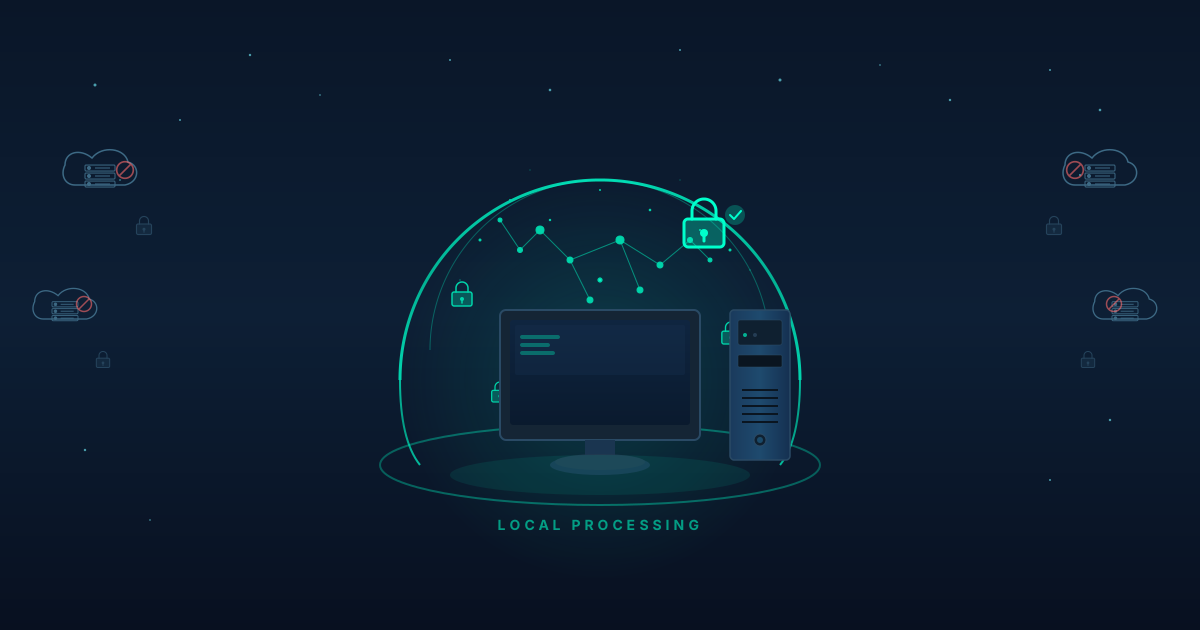
Local AI provides complete data privacy by processing all queries on your computer, ensuring your sensitive information never leaves your device or reaches third-party servers. Unlike ChatGPT and Claude, which transmit your data to cloud servers where it is logged, stored, and potentially accessed by employees, local AI through tools like Ollama keeps everything 100% private. Your prompts, documents, and conversations exist only on your machine.
For professionals handling confidential information (lawyers, doctors, consultants, business owners), local AI eliminates the risk of accidental data disclosure, NDA violations, and compliance issues that come with cloud AI services.
I was about to hit send on the most important pitch of my career when a thought stopped me cold: I'd just spent the last two hours feeding every detail of my startup's unreleased product into ChatGPT.
Features nobody else knew about. Pricing strategy we'd spent months developing. Customer pain points from confidential interviews. Technical approaches that gave us an edge over competitors. I'd dumped it all into ChatGPT to help refine my pitch deck, and only afterward did I realize what I'd done.
That information now existed on OpenAI's servers. I had no control over it. I couldn't delete it. I couldn't verify how it was stored or who might access it. My company's entire competitive advantage was sitting in someone else's database, subject to their security measures and privacy policies.
The pitch went well. We got funded. But that moment of horror—realizing I'd potentially compromised our entire business because I didn't understand where my data was going—sent me searching for a better way to use AI.
What Happens to Your Data When You Use ChatGPT?
Most people don't understand what happens when they use ChatGPT, Claude, or any cloud AI service. It's not malicious, it's just invisible.
You type: "Help me analyze this customer feedback and identify common complaints."
Then you paste in 50 customer emails containing names, product details, usage patterns, and specific problems. In your mind, you're just getting help organizing information.
Here's what actually happens:
Your text—all of it—travels across the internet to the AI company's servers. It arrives in plain text. The company's systems can read every word. That information gets logged, processed, stored. Employees with system access could technically view it. The company's privacy policy governs what they can do with it, but that's just a contract—you're trusting their practices match their promises.
Even if they don't train their models on your data (which many now promise not to do), they still received it. It still exists in their systems. It's still subject to their security measures, their employee access controls, their response to legal demands, and their data breach vulnerabilities.
Your customer emails are now in someone else's database.
Why Should You Be Concerned About Cloud AI Privacy?
After my pitch deck scare, I started paying attention to what I was sharing with cloud AI services. The results shocked me.
Over one month, I'd sent to ChatGPT:
- Client names and project details (violating NDAs)
- Pricing information competitors would love to know
- Product roadmap details that were highly confidential
- Customer data including email addresses and usage patterns
- Strategic analysis of our market position
- Financial projections and budget information
I'd treated ChatGPT like a trusted colleague who understood confidentiality. But it wasn't a colleague—it was a service operated by a company with its own interests, legal obligations, and vulnerabilities.
When I mentioned this concern to other founders, I discovered I wasn't alone. A friend who runs a healthcare startup had been using Claude to draft patient communication templates. She'd included enough details that the prompts potentially violated HIPAA. Another founder had been analyzing competitor intelligence—information obtained under NDA—using AI services.
We all had the same problem: cloud AI was incredibly useful, but using it responsibly meant not sharing anything truly sensitive. That meant either limiting AI's utility or compromising on data privacy.
How Does Local AI Protect Your Privacy?
Local AI eliminates the fundamental privacy problem: your data leaving your control.
Here's what happens when you use local AI with Ollama:
- You install an AI model on your computer (a one-time download)
- When you ask questions, your computer processes everything locally
- No data is transmitted over your network
- No external servers receive your prompts
- No company logs your conversations
- Everything stays on your machine, under your control
I can prove this empirically. When I run local AI and monitor my network traffic, there's zero data transmission during conversations. Disconnect from the internet entirely, and local AI works identically.
This isn't obfuscation or encryption—it's true local processing. Your data physically never leaves your device.
What Can You Do With Private Local AI?
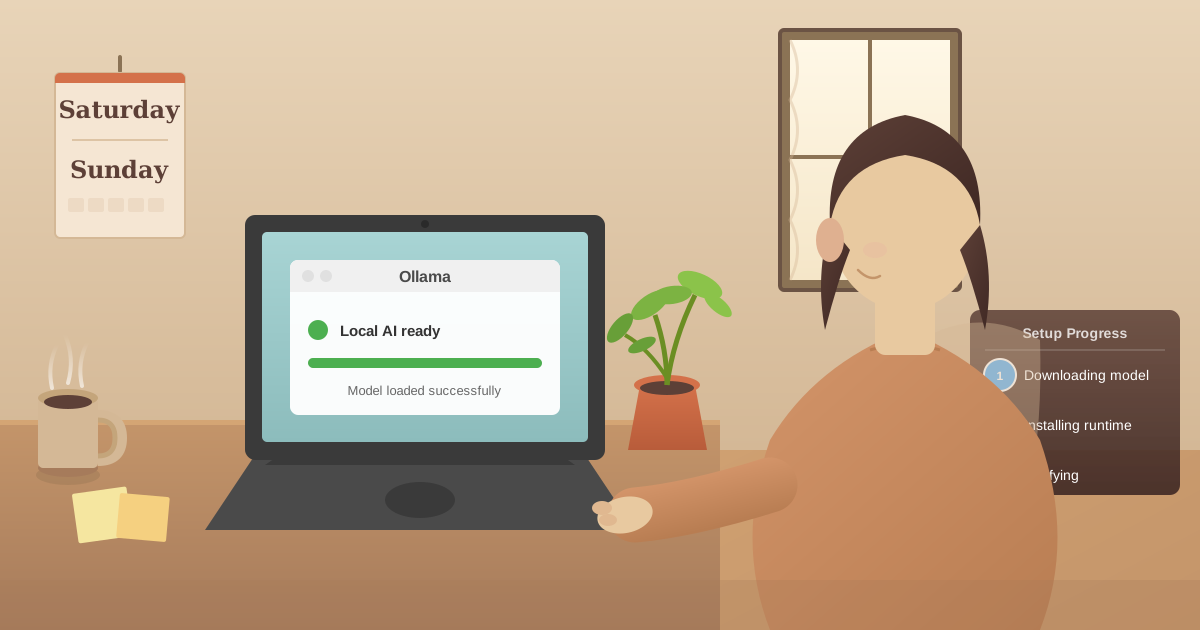
I installed Ollama on a Saturday afternoon in July. Setup took about 45 minutes: download the software, install it, download the Llama 3.2 model, test it. By evening, I had a fully functional AI running entirely on my laptop.
The first thing I tested: could I actually use it with sensitive information without any concerns?
Week 1: Client Work
I had a consulting project requiring analysis of a client's internal data. Their NDA was strict—I couldn't share their information with third parties. Using cloud AI would have violated that agreement.
With local AI, I pasted in their entire dataset and asked for analysis. The AI identified patterns, suggested recommendations, and helped structure my findings. All the processing happened on my laptop. No third-party disclosure occurred. No NDA violation.
Week 2: Product Strategy
We were planning our next product release. I used local AI to brainstorm positioning, analyze competitive approaches, and refine messaging. I shared details I would never put in cloud AI: specific features, pricing strategies, target customer segments, launch timing.
The AI helped enormously, and I never once worried about leaking sensitive information to competitors.
Week 3: Investor Communications
I was preparing materials for our Series A. These contained financial details, growth projections, and strategic plans that were highly confidential. I used local AI to refine my narrative, polish my pitch, and prepare Q&A responses.
Every detail stayed on my machine. No third party saw our sensitive financial information.
Week 4: Personal Matters
I also started using local AI for personal questions I'd never ask cloud services: medical concerns, family situations, financial planning, career decisions. The psychological difference was significant—I could be completely honest because I knew the conversation was truly private.
What Are the Key Principles of AI Data Privacy?
After six months using local AI exclusively, I've developed clear principles about data privacy:
Principle 1: Control is Fundamental
Data privacy isn't about trusting companies to handle your information well. It's about retaining control so you don't have to trust them.
With cloud AI, you give up control the moment you hit send. With local AI, you never relinquish it.
Principle 2: Terms of Service Don't Equal Privacy
Many people comfort themselves by reading cloud AI providers' privacy policies. "They promise not to train on my data, so it's fine."
But promising not to train on your data doesn't mean:
- They don't receive it
- They don't store it
- Employees can't access it
- It's not subject to legal demands
- Breaches can't expose it
- Their practices match their promises
The only true privacy is keeping data local.
Principle 3: Most Privacy Violations Are Accidental
Very few privacy breaches involve malicious intent. Most result from:
- Employees who don't understand policies
- Systems configured incorrectly
- Oversights in access controls
- Honest mistakes compounded
- Gaps between promises and implementation
The solution isn't better promises—it's eliminating the risk by keeping data local.
Principle 4: You Can't Un-Share Information
Once you send sensitive information to a cloud service, you can't take it back. It's in their logs, their databases, their backups. Even if they promise to delete it, you can't verify compliance.
With local AI, you never share information in the first place, so there's nothing to retract.
How Do You Set Up a Private AI Environment?
Getting local AI running is simpler than most people expect. Here's exactly what I did:
Hardware Check (5 minutes)
I verified my laptop had adequate specs:
- 16GB RAM (good enough for standard models)
- 50GB free disk space (for models)
- 2020-era processor (plenty fast enough)
Most computers from the last 3-4 years meet these requirements without upgrades.
Install Ollama (10 minutes)
I visited ollama.com, downloaded the installer for macOS (also available for Windows and Linux), and installed it like any application. No special configuration needed.
Download First Model (15 minutes)
I opened Terminal and ran:
ollama pull llama3.2
The model downloaded (about 5GB). This is the only step requiring internet—the model is downloading once to my machine.
Privacy Verification (5 minutes)
Critical step: I verified that it actually works offline.
- Turned off WiFi completely
- Opened Terminal and ran:
ollama run llama3.2 - Asked it questions
It worked perfectly. No internet connection needed. This test proved my data stays local.
Interface Improvement (5 minutes)
The command line works, but I prefer a better interface. I set up the Practical Web Tools AI chat, which connects to my local Ollama and provides a polished experience while maintaining complete privacy.
Total setup time: 40 minutes
The privacy benefit: permanent.
Who Benefits Most From Private Local AI?
Different people need privacy for different reasons. Here's how local AI solves specific privacy challenges:
Scenario 1: Healthcare Professional
Dr. Sarah (emergency medicine physician) wanted AI assistance with clinical decision support but couldn't use cloud services with patient information due to HIPAA.
With local AI, she now:
- Analyzes clinical presentations without disclosing PHI
- Reviews treatment guidelines privately
- Drafts patient education materials
- Researches medical literature
All processing happens on her hospital-issued laptop. No PHI leaves the device. No Business Associate Agreement needed because there's no third-party disclosure.
Scenario 2: Journalist
Marcus (investigative journalist) needed AI help organizing research for a story about corporate corruption. His sources' identities and the evidence he'd gathered were extremely sensitive. Disclosing any of it could endanger sources and compromise the investigation.
With local AI, he:
- Analyzes leaked documents without uploading them anywhere
- Organizes evidence and identifies connections
- Drafts story sections without revealing the subject
- Prepares interview questions based on confidential information
His sources' safety depends on confidentiality. Local AI provides AI assistance without compromising that.
Scenario 3: Startup Founder
Elena (B2B SaaS founder) needs AI for business planning but can't risk competitors learning her strategy. Her startup's success depends on executing before others catch on.
With local AI, she:
- Develops product roadmaps and feature priorities
- Analyzes competitive positioning
- Refines pricing strategy
- Drafts investor materials with sensitive financials
Her competitive advantage stays competitive because it stays private.
Scenario 4: Attorney
David (family law attorney) requires AI assistance but has absolute confidentiality obligations to clients. Using cloud AI with client information could violate ethical rules and professional obligations.
With local AI, he:
- Analyzes case facts and legal strategies
- Drafts motions and pleadings
- Reviews discovery documents
- Prepares for client meetings and hearings
Attorney-client privilege is maintained because no third-party disclosure occurs.
Scenario 5: Writer
Maya (novelist) wants AI assistance with her manuscript but doesn't want her unpublished work exposed to any cloud service where it might influence AI training or be seen by employees.
With local AI, she:
- Brainstorms plot developments and character arcs
- Edits passages for clarity and flow
- Tests dialogue authenticity
- Analyzes pacing and structure
Her manuscript stays private until she chooses to publish it.
How Can You Verify Local AI Is Truly Private?
I'm a technical person, so I validated local AI privacy thoroughly:
Network Traffic Analysis
I used Wireshark (network monitoring tool) to capture all network traffic while using local AI. Result: zero packets sent or received during AI conversations. The network interface was completely silent.
This proves data isn't being transmitted, even encrypted.
Process Monitoring
I used Activity Monitor to watch what the Ollama process was doing. It consumed CPU and RAM, but never accessed the network. All computation was local.
Offline Testing
I literally disconnected my laptop from all networks—WiFi off, Ethernet unplugged, cellular disabled. Local AI worked identically.
This is impossible with cloud services, which immediately fail without connectivity.
Source Code Review
Ollama is open source. I actually reviewed the code (and security researchers have too). The inference code has no network calls. It's designed for local processing.
This transparency is impossible with proprietary cloud services.
The Verdict: Privacy Claims Are Technically Accurate
Local AI's privacy isn't marketing—it's architectural reality. The data physically cannot leave your machine because the system isn't designed to transmit it.
What Privacy Advantages Does Local AI Have Over Cloud AI?
Local AI's privacy benefits extend beyond just keeping data off cloud servers:
No Usage Metadata
Cloud services know:
- When you use AI
- How often you use it
- What topics you query about
- How your usage patterns change
- What times of day you work
This metadata reveals a lot about you, even if they don't train on your content.
Local AI generates no metadata for anyone but you.
No Correlation Across Users
Cloud services can potentially correlate information across users. If User A asks about Company X and User B asks about Company X, the service could theoretically connect those queries.
Local AI processes each user's queries in complete isolation. No cross-user correlation is possible.
No Legal Exposure
If you use cloud AI for business, those conversations might be subject to discovery in lawsuits, regulatory investigations, or other legal proceedings. The AI company could be subpoenaed for your query logs.
With local AI, no external party has your logs to subpoena.
No Terms of Service Changes
Cloud AI providers regularly update their terms of service. A privacy-protective policy today might change tomorrow. You're subject to their evolving terms.
Local AI has no terms of service. You control the system completely.
What Are the Limitations of Private Local AI?
I want to be truthful about where local AI privacy has trade-offs:
Setup Requires Technical Comfort
Installing Ollama is straightforward, but it's not as simple as signing up for ChatGPT. If you're comfortable installing software and using command-line basics, it's easy. If that intimidates you, there's a learning curve.
(Though our AI chat interface makes it much easier.)
Hardware Matters
If you have a very old or low-spec computer, local AI will be slow or impossible. My 2019 laptop works fine. A 2015 laptop with 4GB RAM wouldn't.
Model Updates Are Manual
Cloud AI services update transparently. With local AI, when a new model releases, you manually download it. This takes 15-30 minutes every few months. Not difficult, but not automatic.
No Real-Time Information
Local AI can't access the internet to fetch current information. For questions requiring real-time data (current stock prices, today's weather, breaking news), you need a different tool.
For the 95% of use cases involving analysis, writing, coding, and reasoning—local AI works excellently.
How Do You Transition From Cloud AI to Private Local AI?
Here's how I recommend transitioning to private AI:
Week 1: Installation and Testing
- Install Ollama and download Llama 3.2
- Test with non-sensitive queries
- Verify offline functionality
- Evaluate quality for your use cases
- Try our AI chat interface
Week 2: Sensitive Data Trial
- Start using local AI with information you wouldn't share with cloud services
- Client data, personal matters, strategic planning, confidential research
- Build confidence that privacy is real and maintained
- Compare quality to cloud AI for your specific needs
Week 3: Workflow Integration
- Make local AI your default for sensitive information
- Reserve cloud AI only for appropriate use cases
- Develop a split strategy: local for private data, cloud for public information if needed
- Establish new work patterns around local AI
Week 4: Full Adoption
- Local AI becomes your primary tool
- Cloud AI only for specific cases requiring it (if any)
- Stop worrying about data privacy when using AI
- Enjoy the psychological freedom of true privacy
The transition took me about three weeks. The privacy benefit is permanent.
What Other Privacy Tools Work Well With Local AI?
Local AI pairs well with other privacy-focused tools:
Local File Processing
Our file conversion tools process documents entirely in your browser without uploading them to any server. Combined with local AI, you have complete document processing capability with complete privacy.
Encrypted Communication
Signal for messaging, ProtonMail for email. Keep all your communications private, not just AI.
Local Password Management
KeePass or similar tools store passwords locally, not in cloud databases. Matches the privacy philosophy of local AI.
VPN for Network Privacy
While local AI doesn't need VPN (it doesn't transmit data), VPN protects your other online activities.
Local Backup Strategy
Keep your backups under your control. External drives or local NAS, not cloud backup services that could access your data.
Frequently Asked Questions About Local AI Privacy
Does ChatGPT store my conversations?
Yes, ChatGPT stores your conversations on OpenAI's servers. While OpenAI allows you to delete conversation history, the data may still exist in logs, backups, and training datasets. Employees with system access can potentially view your queries. Local AI stores nothing externally because processing happens entirely on your computer.
Is local AI truly private or just marketing?
Local AI privacy is technically verifiable. You can monitor network traffic during use and see zero data transmission. You can disconnect from the internet entirely and local AI continues working identically. The open-source code (Ollama) can be audited to confirm no data collection occurs. This is architectural privacy, not policy-based promises.
Can I use local AI for HIPAA-compliant work?
Yes, local AI eliminates third-party data disclosure, which is the core HIPAA concern with cloud AI services. When processing happens entirely on your device, no Protected Health Information (PHI) is transmitted to external servers. No Business Associate Agreement is required because there is no business associate. Many healthcare professionals use local AI for this reason.
Does local AI protect against data breaches?
Local AI eliminates cloud-based data breach risk entirely. Since your queries never leave your device, there is no external database to breach. Your sensitive information cannot be exposed through hacks, insider threats, or security failures at AI companies because it was never sent to them.
Can my employer see what I ask local AI?
Your employer cannot see local AI queries through the AI service itself (unlike cloud AI where corporate accounts may log queries). However, employer-installed monitoring software on your computer could still capture screen content. For complete privacy, use local AI on a personal device.
What happens to my data if I stop using local AI?
Nothing happens externally because no external data exists. Your conversation history exists only in local files on your computer that you can delete anytime. There are no accounts to close, no data deletion requests to submit, no hope that a company actually removes your information.
Is local AI safe for attorney-client privileged information?
Yes, local AI is the only AI option that clearly preserves attorney-client privilege. No third-party disclosure occurs because data never leaves your device. Multiple state bar ethics opinions flag cloud AI use with confidential client information as potentially problematic. Local AI eliminates this concern entirely.
Can local AI be subpoenaed in legal proceedings?
Your local conversation history could theoretically be subpoenaed if stored on your device, but no external party holds records of your queries. With cloud AI, the AI company could be subpoenaed for your query logs and might be required to produce them. Local AI eliminates this third-party legal exposure.
How Do You Get Started Today?
If privacy matters to you, here's your action plan:
Today (30 minutes):
- Visit ollama.com and download Ollama
- Install it on your computer
- Check system requirements (16GB RAM recommended)
Tomorrow (30 minutes):
4. Download Llama 3.2: ollama pull llama3.2
5. Test it with non-sensitive queries
6. Verify offline functionality by turning off WiFi
7. Set up our AI chat interface
This Week: 8. Identify data you've been hesitant to use with cloud AI 9. Try local AI with that sensitive information 10. Evaluate whether it meets your quality needs 11. Compare the experience to cloud services
Next Week: 12. Integrate local AI into your daily workflow 13. Stop sending sensitive data to cloud services 14. Help a colleague or friend set up local AI 15. Enjoy the freedom of truly private AI assistance
The setup investment is under an hour. The privacy benefit lasts forever.
Why Does AI Privacy Matter More Than You Think?
Most people underestimate their privacy needs because they haven't experienced a privacy violation.
But consider:
Career Implications: If you're job hunting while employed, would you want your employer to potentially discover your plans through data breaches or employee access at AI companies?
Competitive Intelligence: If you're developing a business strategy, would you want competitors potentially learning your approach through any vulnerability in AI services?
Personal Exposure: If you're dealing with sensitive personal matters, would you want that information in databases you don't control?
Legal Risks: If you're handling confidential information under NDA or professional obligations, are you comfortable trusting cloud services with that?
Privacy isn't paranoia. It's recognizing that data shared broadly can be compromised, misused, or discovered in ways you never intended.
The solution isn't trusting companies more. It's keeping your data under your control.
What Does True AI Privacy Feel Like?
Six months into using local AI exclusively, I've experienced a psychological shift I didn't expect. I'm no longer constantly evaluating "Is this safe to share with AI?"
With cloud services, every sensitive query required a risk calculation: Is this too confidential? Could this harm me if it leaked? Should I share this information with a third party?
With local AI, those calculations disappeared. I can be completely honest, completely detailed, completely open—because I know the information stays on my machine.
That freedom is more valuable than I anticipated. It means using AI to its full potential without self-censoring or accepting privacy risks.
I have powerful AI assistance and complete data privacy. Both are possible with local AI.
Ready to experience truly private AI? Download Ollama for free, install Llama 3.2, and connect through our AI chat interface—no signup required, runs 100% locally on your computer. Your data stays yours because we never see it.
Last updated: November 2025