Local AI for Writers - Protect Your Manuscript Privacy | Practical Web Tools
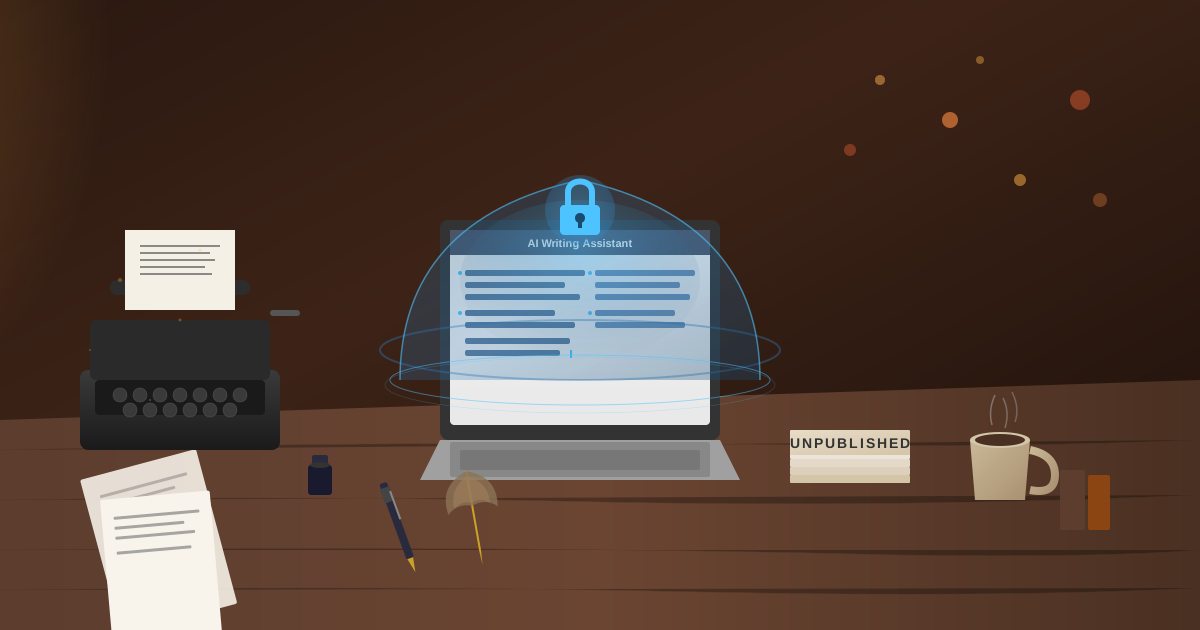
Local AI keeps your unpublished manuscript completely private by processing all writing assistance on your computer, never transmitting your creative work to external servers. Unlike ChatGPT, which stores your text on cloud servers where it may be used for training, accessed by employees, or exposed in data breaches, local AI through Ollama ensures your plot twists, characters, and world-building stay under your exclusive control until you choose to publish.
Writers using local AI get the same quality feedback on pacing, dialogue, and structure as cloud services, but with zero risk of their unpublished work being exposed or influencing other AI-generated content.
I was 67,000 words into my first novel when I had a horrifying realization: I'd been pasting chapters into ChatGPT for feedback, and my entire unpublished manuscript was now sitting on OpenAI's servers.
Plot twists I'd spent months developing. Character arcs I thought were unique. Dialogue I'd polished for weeks. World-building details that made my story distinctive. All of it transmitted to a third party before I'd even finished my first draft.
What if those plot elements influenced ChatGPT's responses to other writers? What if an OpenAI employee read portions of my work? What if my manuscript ended up in training data for future models, diluting what made it original? What if there was a data breach and my unpublished work got leaked?
I'd been treating ChatGPT like a trusted critique partner who understood the confidentiality of unpublished work. But it wasn't a critique partner—it was a cloud service operated by a company that now had my entire creative project in its systems.
That moment of panic sent me looking for a better way to use AI for writing without exposing my manuscript. I found local AI, and it changed how I write.
Why Does Manuscript Privacy Matter for Writers?
Some writers dismiss privacy concerns: "My work isn't that good anyway" or "Who would care about my novel?" This misses the point entirely.
Copyright and Originality
Your creative work's value depends partly on its originality. If key plot elements, unique character concepts, or distinctive worldbuilding appear in AI training data, they could surface in responses to other writers. Your originality becomes diluted before you even publish.
Yes, copyright protects expression, not ideas. But readers expect fresh stories. If your "twist" has already appeared in AI-assisted works because your manuscript was in training data, your work feels less original even if technically you wrote it first.
Commercial Value
Your unpublished manuscript represents potential value: advances, royalties, subsidiary rights, film options. That value depends on the work remaining unpublished until you're ready.
If your manuscript content leaks through a data breach or employee access at an AI company, your unpublished work could become public before you control the release. That destroys commercial value.
Creative Confidence
There's a psychological dimension too. I write more freely when I know my drafts are truly private. The messy first draft with the terrible subplot that gets cut. The character arc that doesn't work yet. The dialogue that's too on-the-nose.
With cloud AI, I self-censored. I'd clean up passages before asking for feedback because I was uncomfortable sending rough work to third-party servers. That friction slowed my creative process.
With local AI, I share anything—rough drafts, experimental ideas, terrible first attempts—because I know it stays on my machine. That freedom improved my writing.
How Does Local AI Help With Novel Writing?
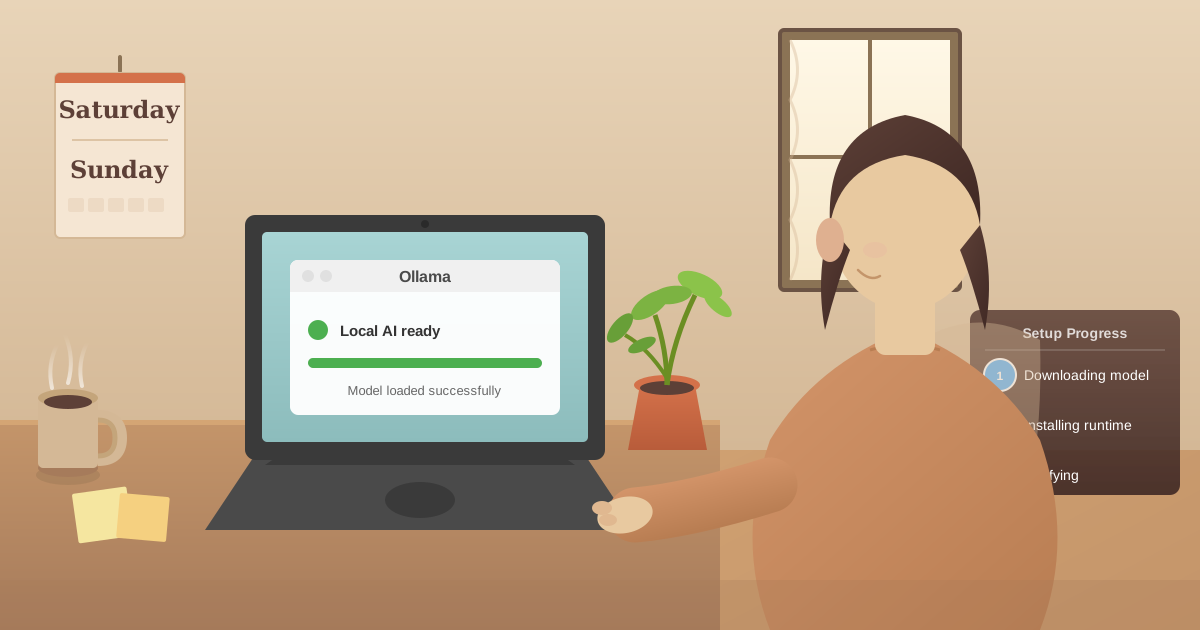
I installed Ollama on a Sunday afternoon. The whole setup took about an hour: download the software, install it, download the Llama 3.2 model, test it, set up the Practical Web Tools AI chat interface. By evening, I was using it for actual writing work.
I loaded in Chapter 8, which I'd been struggling with. The chapter opened with my protagonist discovering a secret about her family history, but the pacing felt off and the emotional beats weren't landing.
I pasted the entire 3,500-word chapter into my local AI and asked: "Read this chapter and identify where the pacing drags. Focus on structural issues, not sentence-level editing."
The response came back in about 15 seconds:
"The pacing issues are concentrated in the middle section (paragraphs 8-15). You're front-loading too much exposition about the family history before showing her emotional reaction to the discovery. Consider restructuring: her immediate emotional response first, then weave in the historical details through her processing. The final scene transition feels abrupt—add a beat showing her deciding what to do with this information."
That was genuinely helpful feedback. More importantly, it happened entirely on my laptop. My chapter never left my device. No third party saw my unpublished work. No company logged my manuscript content.
I spent the next two hours revising based on that feedback. The chapter improved significantly. And I'd done it without compromising my manuscript's privacy.
What Writing Tasks Can Local AI Help With?
After six months using local AI exclusively for my writing, here's what I've found most valuable:
Structural Feedback
Local AI excels at identifying pacing issues, plot inconsistencies, and structural problems:
"This chapter has three false endings. Which moments feel like natural stopping points, and how could I strengthen the actual ending?"
"My protagonist makes a decision in Chapter 12 that seems unmotivated given her character development in earlier chapters. What's missing?"
"The middle of my story sags. What could add tension or raise stakes during this section?"
These structural questions benefit enormously from AI analysis, and they're exactly the kind of queries where you're sharing significant manuscript content.
Character Development
I use local AI to stress-test character consistency and development:
"Here are three scenes with this character from different points in the story. Does her voice remain consistent? Where does it shift in ways that seem unintentional?"
"Based on this character's backstory and personality traits, how would she react to [plot event]? Does my scene show a plausible response?"
"This character arc feels flat. What moments of growth or change am I missing?"
Character work requires sharing detailed manuscript content and character backstories. Local AI lets me do that without exposing my creative work to external servers.
Dialogue Polish
Dialogue is one area where AI assistance is remarkably helpful:
"This dialogue exchange conveys the information but feels stilted. How could it sound more natural while maintaining the same content?"
"Two characters: Maria (academic, precise language) and Jake (working class, speaks in fragments when stressed). Rewrite this exchange to better differentiate their voices."
"The subtext in this conversation isn't clear enough. How could I strengthen what's unsaid without making it obvious?"
I paste in entire dialogue scenes, often containing plot-critical information. With local AI, that information stays private.
Research and Worldbuilding
For my fantasy novel, I use local AI extensively for worldbuilding consistency:
"Here's my magic system. Identify any logical inconsistencies or unexplained elements."
"I'm building a medieval-inspired culture with these characteristics. What political structures, social hierarchies, and economic systems would be consistent with this?"
"My fictional religion has these beliefs and practices. What conflicts or tensions would naturally arise within this belief system?"
Worldbuilding requires sharing core creative concepts that make your story unique. Local AI lets me develop those ideas without third-party exposure.
Brainstorming Without Exposure
The brainstorming phase is where you're most vulnerable to losing originality:
"My protagonist needs a concrete external goal for Act 2. Given her character and the story's themes, suggest five possibilities."
"What are three unexpected ways this betrayal could be revealed that would maximize emotional impact?"
"I need to raise stakes heading into the climax. What could threaten not just my protagonist's goal but her fundamental values?"
These brainstorming sessions often produce ideas I reject. But even rejected ideas reflect your creative direction. Local AI keeps all of it private.
How Do Writers Set Up Private Local AI?
Here's exactly how I set up local AI for writing work:
Step 1: Hardware Check (5 minutes)
I verified my laptop specs:
- MacBook Pro, 16GB RAM
- 100GB free storage (models need space)
- M1 processor
Most laptops from the last 3-4 years work fine. You need:
- At least 8GB RAM (16GB better)
- 50GB free storage
- Relatively modern processor (2019+)
Step 2: Install Ollama (10 minutes)
Visited ollama.com, downloaded the Mac installer, installed it. Simple as installing any application—just double-click and follow prompts.
Windows and Linux versions exist too. The process is identical.
Step 3: Download Writing-Focused Model (20 minutes)
Opened Terminal and ran:
ollama pull llama3.2
This downloaded Llama 3.2, which is excellent for general writing tasks. The download took about 20 minutes on my connection.
I also downloaded Mistral, which many writers prefer for creative prose:
ollama pull mistral
Step 4: Test With Non-Manuscript Content (10 minutes)
Before trusting it with my manuscript, I tested with published text. I pasted in the first chapter of a published novel I admire and asked for analysis.
The AI provided insightful feedback, demonstrating it could handle creative writing analysis well.
Step 5: Verify Privacy (5 minutes)
Critical step: I turned off WiFi completely and tested. I pasted in a writing sample and asked for feedback.
It worked perfectly offline. This proved my manuscript would never leave my computer.
Step 6: Set Up Better Interface (5 minutes)
The command line works, but I prefer the Practical Web Tools AI chat interface. It connects to my local Ollama while providing a polished writing environment with formatting, conversation history, and easy model switching.
Total setup: About an hour
Privacy benefit: Permanent
What Is the Best AI Writing Workflow for Privacy?
Here's how local AI integrated into my actual writing process:
Morning: First Draft (No AI)
I write my first draft without AI assistance. This is pure creation—getting words on the page, developing scenes, writing dialogue. The AI isn't involved yet.
I find that drafting benefits from human intuition and creative flow. AI assistance comes later.
Afternoon: Structural Revision (Local AI)
After drafting 2-3 chapters, I use local AI for structural feedback:
- I paste in the chapters
- Ask: "Identify pacing issues, plot inconsistencies, and structural problems"
- Get AI analysis in 10-15 seconds
- Use that feedback to guide my revision
- Implement changes based on my judgment, not blindly following suggestions
Evening: Dialogue and Prose Polish (Local AI)
When revising dialogue or prose, I use local AI for specific scenes:
- Paste in a dialogue exchange
- Ask: "Does this sound natural? Are the characters' voices distinct?"
- Get suggestions
- Rewrite in my own voice, using AI suggestions as inspiration
Throughout: Brainstorming (Local AI)
Whenever I'm stuck—on plot, character, pacing, anything—I ask local AI:
"I'm stuck on [specific problem]. Here's the context: [relevant manuscript details]. What are some approaches I haven't considered?"
The responses often spark ideas I wouldn't have found alone.
Never: Accepting AI Text Verbatim
This is crucial: I never copy AI-generated text directly into my manuscript. I use AI for analysis, suggestions, and brainstorming. The actual words in my manuscript are mine.
This keeps my voice authentic and ensures the work is genuinely mine.
How Does Local AI Work With Scrivener and Other Writing Software?
Most writers use dedicated writing software. Here's how local AI integrates:
Scrivener (My Setup)
Scrivener doesn't integrate AI natively, but my workflow works well:
- Work on my manuscript in Scrivener normally
- When I want AI feedback, I copy the relevant section
- Paste into our AI chat interface
- Get feedback and suggestions
- Implement changes in Scrivener
- Save AI feedback in Scrivener's Research folder for later reference
This keeps my workflow simple and my manuscript secure.
Microsoft Word
Similar workflow:
- Draft in Word
- Copy sections for AI review
- Get feedback through local AI
- Use Word's track changes to implement revisions
- Accept or reject changes based on my judgment
Google Docs
Google Docs works offline:
- Enable offline mode
- Draft normally
- Copy sections for local AI analysis
- Implement feedback
Obsidian
Obsidian is powerful for writers who like linked notes. There are plugins that can connect Obsidian to local Ollama, allowing AI assistance directly in your writing environment while maintaining privacy.
Ulysses, iA Writer, Typora
These minimalist writing apps work well with local AI through copy-paste workflow. Keep the writing app for drafting, use local AI for feedback and brainstorming.
Will AI Make My Writing Sound Generic?
The biggest concern many writers have about AI: Will it homogenize my voice?
Here's what I've learned after using AI extensively for six months:
AI as Tool, Not Replacement
Think of local AI as a sophisticated thesaurus or grammar checker, not as a co-author. It provides options and suggestions. You decide what to use and how to adapt it.
My rule: If I use an AI suggestion, I rewrite it in my own words. This ensures my voice remains mine.
Use AI for Analysis, Not Creation
The best use of AI for writers is analytical, not generative:
"What pacing issues does this chapter have?" (Good use) "Write this chapter for me." (Bad use)
"Does this dialogue sound natural?" (Good use) "Write realistic dialogue for these characters." (Bad use)
"What character development moments am I missing?" (Good use) "Develop this character's arc for me." (Bad use)
AI excels at analyzing your work and suggesting improvements. It shouldn't create your work.
Your Judgment Remains Essential
AI suggestions are options, not directives. I probably reject 60% of AI suggestions because they don't match my vision, my voice, or my story needs.
The writer's skill is knowing what feedback to implement and how. AI helps generate options; you make the decisions.
Regular AI-Free Writing
I write most of my first drafts without any AI assistance. This keeps my natural voice strong and prevents AI dependency.
I only bring in AI for specific revision and problem-solving tasks, not continuous collaboration.
Which AI Models Are Best for Creative Writing?
I've tested several models extensively for writing work:
Llama 3.2 (8B) - My Daily Driver
Strengths:
- Fast responses (10-15 seconds on my laptop)
- Good structural analysis
- Decent character feedback
- Works on modest hardware
Weaknesses:
- Sometimes misses subtle character nuances
- Prose suggestions occasionally stilted
Best for: General writing feedback, structural analysis, brainstorming
Mistral 7B - Best for Prose
Strengths:
- Excellent natural language feel
- Strong prose suggestions
- Good dialogue polish
- Fast performance
Weaknesses:
- Sometimes less detailed on structural issues
Best for: Dialogue work, prose polish, line-level editing feedback
Llama 3.1 70B - Maximum Capability
Strengths:
- Deep character analysis
- Sophisticated structural feedback
- Nuanced understanding of story craft
- Comprehensive responses
Weaknesses:
- Requires powerful hardware (32GB+ RAM or good GPU)
- Slower responses (3-5 seconds on my desktop)
Best for: Complex character work, detailed plot analysis, sophisticated craft questions
My Recommendation
Start with Llama 3.2 or Mistral. Both run on typical writer hardware and handle 90% of writing needs excellently. Only upgrade to larger models if you find specific limitations affecting your work.
How Are Other Writers Using Private Local AI?
I've connected with several writers using local AI. Here's what they've experienced:
Sarah (Romance Novelist)
Sarah writes contemporary romance and was nervous about cloud AI seeing her unpublished manuscripts before her publisher released them.
With local AI, she now:
- Tests plot twists for emotional impact
- Polishes dialogue between characters
- Analyzes pacing in key romantic scenes
- Brainstorms conflict without spoiling her books
Result: "I'm more productive with AI help, and I sleep better knowing my manuscripts stay private. Publishing is competitive enough without giving away my plot twists before release."
Marcus (Fantasy Series Author)
Marcus is writing a seven-book fantasy series with complex worldbuilding. He was concerned that sharing worldbuilding details with cloud AI might compromise his unique setting.
With local AI, he:
- Stress-tests magic system consistency across books
- Develops political intrigue plots
- Analyzes character arcs spanning multiple books
- Generates and tracks timeline consistency
Result: "My worldbuilding is my competitive advantage. Local AI lets me get help developing it without exposing it to anyone. The series is stronger because I can work through complications privately."
Elena (Memoir Writer)
Elena was writing a memoir involving family trauma and personal medical issues. She needed writing help but couldn't share such sensitive personal content with cloud services.
With local AI, she:
- Gets feedback on emotional pacing
- Tests whether scenes achieve intended impact
- Works through difficult personal revelations
- Polishes prose without exposing private details
Result: "Writing memoir means revealing deeply personal experiences. Local AI let me get the help I needed without broadcasting those experiences to a tech company. That privacy was essential for my process."
David (Thriller Author)
David writes political thrillers with intricate plots. He was concerned about cloud AI services being subpoenaed if his books became controversial, potentially revealing his research and story development.
With local AI, he:
- Develops complex plot structures
- Tests plot twists for logical consistency
- Analyzes pacing and tension
- Works through political themes privately
Result: "Some of my research for novels has involved sensitive political topics. Local AI means my research and creative process aren't sitting in a database that could be subpoenaed or leaked."
Frequently Asked Questions About AI for Writers
Does using AI for writing assistance affect my copyright?
No, using AI for feedback and brainstorming does not affect your copyright. Copyright protects original expression, and you retain full rights to text you write yourself. The key is using AI for analysis and suggestions while writing your own prose - do not copy AI-generated text directly into your manuscript.
Can ChatGPT steal my book idea or plot?
When you paste text into ChatGPT, that information is transmitted to OpenAI's servers where it is stored, logged, and potentially used for training future models. Your plot elements could theoretically influence AI responses to other writers. Local AI eliminates this risk entirely because your manuscript never leaves your device.
Should I disclose AI use to agents and publishers?
Current industry standards focus on three questions: Did you write the text? Is the work original? Do you hold copyright? If you use AI only for feedback and brainstorming while writing your own prose, you answer yes to all three. Using AI for feedback is similar to using critique partners. Check current industry guidance as standards are evolving.
Is local AI as good as ChatGPT for creative writing feedback?
For structural feedback, dialogue analysis, and pacing evaluation, yes. Mistral 7B often produces more natural prose suggestions than ChatGPT for creative work. Llama 3.2 handles 90% of writing assistance needs at equivalent quality. The difference is your work stays private.
Can AI help with genre-specific writing conventions?
Yes, AI models understand genre conventions from training on published fiction. They can provide useful feedback on romance beats, mystery pacing, fantasy worldbuilding, thriller tension, and literary character depth. Local AI works as well as cloud services for genre-aware feedback.
Will AI make my writing voice generic?
Only if you copy AI-generated text directly into your manuscript. Using AI for analysis and feedback while writing your own prose preserves your voice completely. Think of it as having a knowledgeable critique partner rather than a ghostwriter.
How do I protect my manuscript from being used to train AI?
The only guaranteed protection is not sending your manuscript to cloud AI services. Terms of service change, and even opt-out options cannot be verified. Local AI is the only approach where your text physically cannot be used for training because it never leaves your device.
Does local AI work for screenwriting and playwriting?
Yes, local AI handles structural analysis of acts and scenes, character arc development, dialogue polish, and plot consistency checking for all formats. It can also provide format-specific feedback on screenplay conventions and stage directions.
How Do Writers Get Started With Private Local AI?
Here's exactly how I recommend writers get started:
Day 1: Setup (1 hour)
- Install Ollama from ollama.com
- Download Llama 3.2:
ollama pull llama3.2 - Test with published text (not your manuscript yet)
- Verify it works offline by turning off WiFi
- Set up our AI chat interface
Day 2: First Feedback (30 minutes) 6. Choose one completed chapter from your manuscript 7. Paste into local AI 8. Ask: "Analyze this chapter for pacing and structure issues" 9. Evaluate the quality of feedback 10. Don't implement changes yet—just assess usefulness
Day 3: Dialogue Test (30 minutes) 11. Choose a dialogue scene you're unsure about 12. Ask local AI: "Does this dialogue sound natural?" 13. Compare suggestions to your instincts 14. Rewrite in your own voice if suggestions resonate
Day 4: Brainstorming Trial (30 minutes) 15. Identify a story problem you're stuck on 16. Describe the situation to local AI 17. Ask for approaches you might not have considered 18. Use responses to spark your own ideas
Day 5: Integration (30 minutes) 19. Develop a workflow that fits your writing process 20. Decide when AI helps (revision? brainstorming?) vs. when it doesn't (first draft?) 21. Set personal guidelines for using AI suggestions
Day 6-7: Real Writing 22. Write as you normally would 23. Use local AI when you'd normally ask a critique partner 24. Track whether it helps or hinders your process 25. Adjust your approach based on what you learn
By the end of week one, you'll know whether local AI enhances your writing process.
Why Do Writers Deserve Complete Privacy for Their Work?
Your manuscript represents months or years of creative work. It's the product of your imagination, your effort, your voice. You deserve complete control over who sees it before publication.
Cloud AI services treat your manuscript as data: transmitted, logged, stored, subject to their policies and security measures. That's an acceptable trade-off for some writers. For me, it wasn't.
Local AI treats your manuscript as what it actually is: your creative work that stays under your control. You get AI assistance without surrendering privacy. You maintain ownership not just legally (you always had that) but practically—your work physically never leaves your machine.
After six months, I can't imagine going back. I get better feedback more quickly, I brainstorm more effectively, and I revise more thoroughly—all while keeping my unpublished work completely private.
For any writer handling sensitive content, developing unique worlds, or simply valuing privacy, local AI offers powerful assistance without compromise.
Your creative work deserves privacy. Local AI delivers it.
Ready to try AI that protects your manuscript? Download Ollama for free, install Llama 3.2 or Mistral, and connect through our AI chat interface—no signup required, runs 100% locally on your computer. Your unpublished work stays private, exactly where it belongs.
Last updated: November 2025